

Webhooks
Let the outside world start the work. A deploy finishes, a ticket moves, a form is submitted — an incoming webhook turns that event into a Pulse workflow, with no one having to notice and ask.
A URL and a prompt
You describe what to do with the delivered event; Pulse handles receiving, routing and running it.
Deliveries are inspectable
Every received event is stored with its payload, so you can see exactly what arrived and what it started.
Standing automation is governed
Creating or changing one is on its own policy surface — approving it grants permission for later unattended runs.
Webhooks let external systems push events into Pulse. When something happens elsewhere — a deploy finishes, a ticket changes, a form is submitted — a webhook can deliver that event and start the right Pulse workflow.
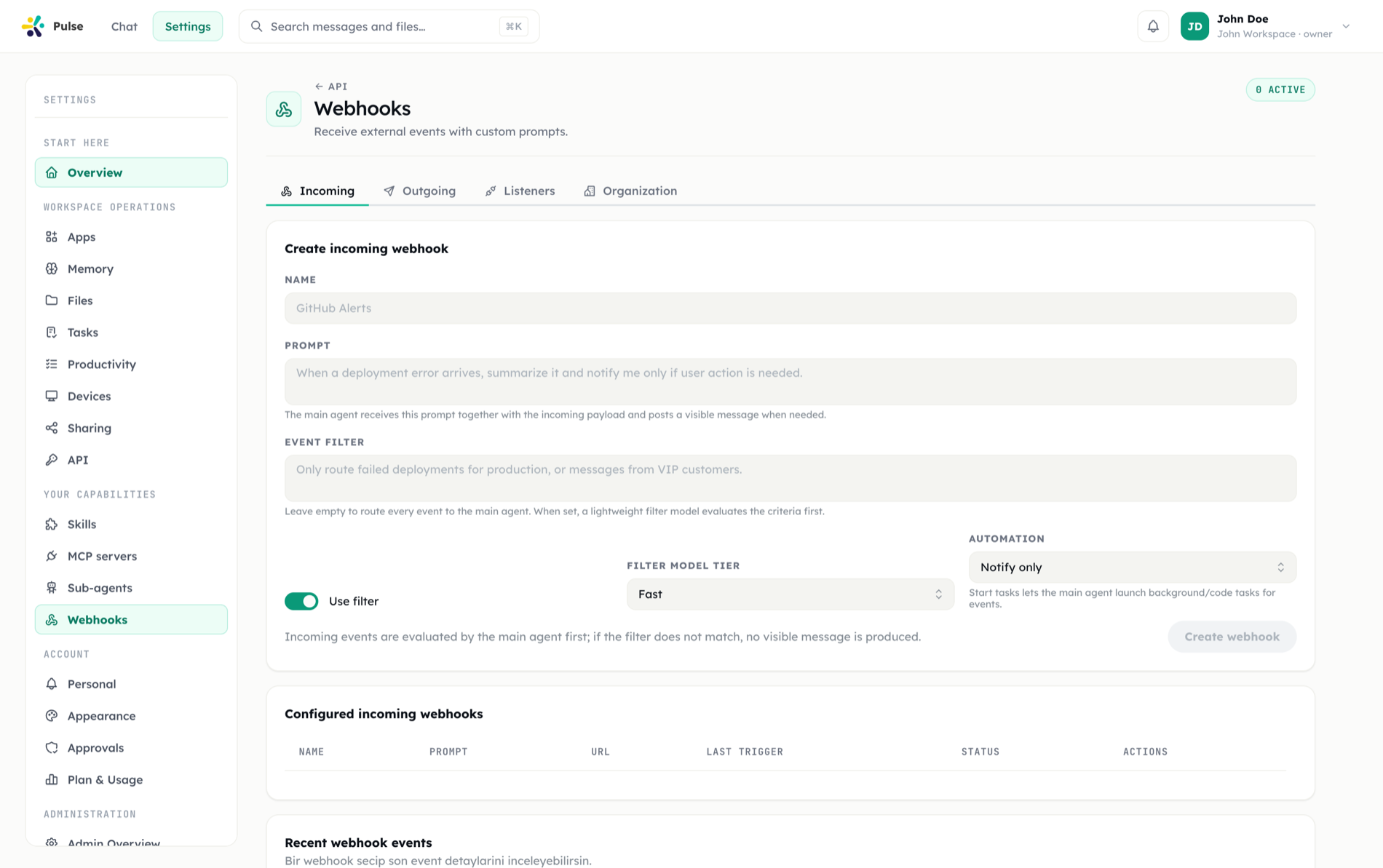
Creating an incoming webhook
You create an incoming webhook to give an external system a destination to call. Pulse provides a webhook URL, turning outside events into inputs the agent can respond to. This is the entry point for event-driven work that originates beyond the chat.
Event listeners
Around each webhook you set up event listeners. A listener defines which events you care about and what should happen when one arrives. Rather than reacting to every payload identically, listeners let you match the events that matter and ignore the rest.
Payload validation
Incoming payloads are validated. Validation confirms a payload is well-formed and matches what the listener expects before it is allowed to drive any action. This keeps malformed or unexpected requests from triggering work and gives you a defined contract for what each webhook accepts.
WARNING
Validate payloads against the shape you expect and pair sensitive downstream actions with approval policies. An external event should not be able to trigger an irreversible action without passing validation and any required approval.
Event-driven routing
Once an event is received and validated, it becomes an input Pulse can act on. It can post into your timeline, kick off a task, or trigger work through connected integrations. Routing is what turns a raw inbound payload into coordinated action.
How webhooks fit Pulse
Webhooks make Pulse reactive to the outside world. Where tasks cover work you schedule and the timeline covers work you ask for directly, webhooks cover work triggered by events you don't control the timing of. All three converge on the same agent and the same timeline.
A typical pattern: an external tool fires a webhook, a listener matches the event, the payload is validated, and the agent routes it into a task that summarizes the change and posts it to your timeline — optionally pausing for approval before any external follow-up.
Managing webhooks
Webhooks are managed from settings, where you create incoming webhooks, configure listeners, and review the events flowing in. This gives you one place to see and control every external entry point into your workspace.
Installed apps can also ship webhooks of their own: a manifest app may declare incoming webhooks (personal or organization-wide) and outbound event deliveries as part of its capabilities. Managing webhooks over the REST API requires a token carrying the webhooks:manage scope.
For implementation details, use the Developer Hub.