

Cognipeer Pulse
One timeline. One assistant. Everything it did, in the place you asked for it. Instead of a new chat every time, each person has a single persistent thread. Pulse reads intent from it, plans the work, runs it in the background, and brings results — and any approval it needs — back to the same place.
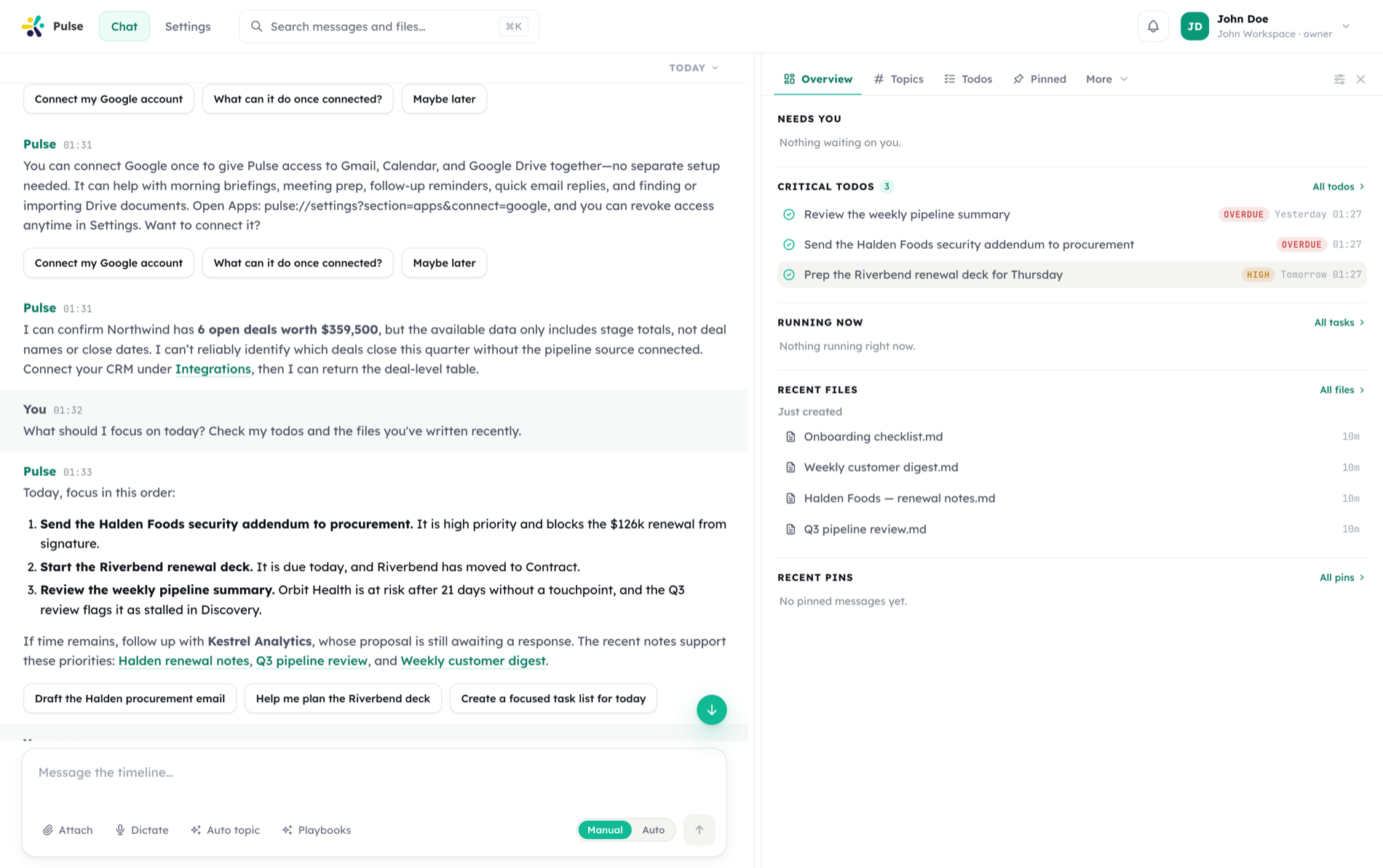
It keeps working after you close the tab
Research, document generation and integration work run on a durable queue. Progress and results land back in the timeline.
It asks before it acts
A per-message Manual / Auto switch, plus organization policy, decide which actions pause for a human decision.
Capability arrives as apps
Integrations, agents, skills, MCP servers and side panels are all apps your organization turns on, scopes and rolls back.
Where Studio is the design surface for building agents, Pulse is where an agent does the work day to day.
Getting started
Open your workspace, connect an integration, and delegate a first task.
Timeline
One persistent chat per user where every message, task, and approval lives.
Tasks & automation
Immediate, delayed, and scheduled work executed by background workers.
Use cases
End-to-end scenarios — meeting follow-ups, weekly briefings, PR reviews, and more.
How Pulse works
Pulse splits responsibility between two visible modes of work that share your timeline:
- Main Agent — the user-facing decision layer. It interprets what you ask, decides what to run, and manages approvals and questions inline in the chat.
- Background work — long-running tasks such as research, file generation, and integration actions continue while progress returns to the timeline.
Conversation history stays in the timeline, while long-running work is summarized so the assistant can keep context without making the thread hard to follow.
One timeline, many event types
Messages, scheduled tasks, approval requests, reactions, and tool results all flow into the same thread. The timeline is the interface — there are no hidden side-channels to check.
Core capabilities
Approvals
Human-in-the-loop gates in chat, by email link, or in a dedicated UI before sensitive actions run.
Todos & check-ins
A shared todo surface with lists, assignment, sharing, comments, and daily check-ins.
Meeting Agent
A notetaker bot for Meet, Zoom, and Teams that records, transcribes, and writes structured notes.
Code Agent & sandbox
Repository work in an isolated sandbox — code changes, PR reviews, conflict resolution, multi-repo audits.
Apps
The unit of capability — integrations, agents, skills, and panels arrive as apps your org controls.
Integrations
Connect Slack, GitHub, Notion, Jira, Google, and other tools your team already uses.
Skills
Reusable execution capabilities loaded on demand — from document operations to web artifact building.
Files & artifacts
Generate React components, Markdown, PDFs, Office documents, and diagrams, then sync and share them.
Memory
Semantic memory over facts with confidence scoring, so the assistant keeps context that matters.
Voice mode
Real-time voice conversations that keep full assistant context and run tools mid-call.
Devices & desktop
Dispatch work to a desktop or mobile device and keep files available where you work.
Webhooks
Route external events into Pulse to start tasks automatically.
Security & governance
Tool policy surfaces, organization security profiles, autonomy, egress control, and token scopes.
Settings
Workspace administration, users and roles, API tokens, quotas, and sharing policies.
Get Pulse everywhere
Desktop
The full timeline on your desktop, plus supervised remote access to the machine it's running on.
Mobile
Timeline, tasks, and approvals in your pocket, with push notifications and voice.
Where Pulse fits
| Product | Role | You use it to |
|---|---|---|
| Studio | Design surface | Design, test, and ship AI agents and automations |
| Pulse | Workspace assistant | Get work done through a persistent, event-driven assistant |