

File
The File Data Source feature in Cognipeer allows you to upload and connect various file types, enabling your Peers to retrieve, process, and utilize the information from those files in real-time. This type of data source is ideal for organizations that store important data and documentation in file formats such as text, spreadsheets, and documents.
Supported File Types
Cognipeer supports the following file types as data sources:
- Text-based files: Plain text (
.txt) documents containing unstructured data. - XLSX (Excel spreadsheets): Structured spreadsheets for handling tabular data.
- CSV (Comma-Separated Values): Simple file format for tabular data storage.
- PDF (Portable Document Format): Documents in
.pdfformat, ideal for reports, brochures, or contracts. - DOCX (Microsoft Word): Text-rich documents in
.docxformat.
Benefits of Using File Data Sources
- Centralized Access to Documents: Peers can quickly retrieve data from files, allowing easy access to important documents such as reports, financial statements, or customer data.
- Automated Data Extraction: Save time by automating the retrieval and extraction of key information from files.
- Support for Multiple Formats: Whether it's a spreadsheet, PDF report, or a Word document, Peers can handle and interpret various file formats seamlessly.
How to Set Up a File Data Source
Follow these steps to connect a file as a data source for your Peer:
Navigate to the Data Sources Tab: In your Peer settings, click on the Data Sources section.
Choose File as Data Source Type: Select File from the list of available data source types.
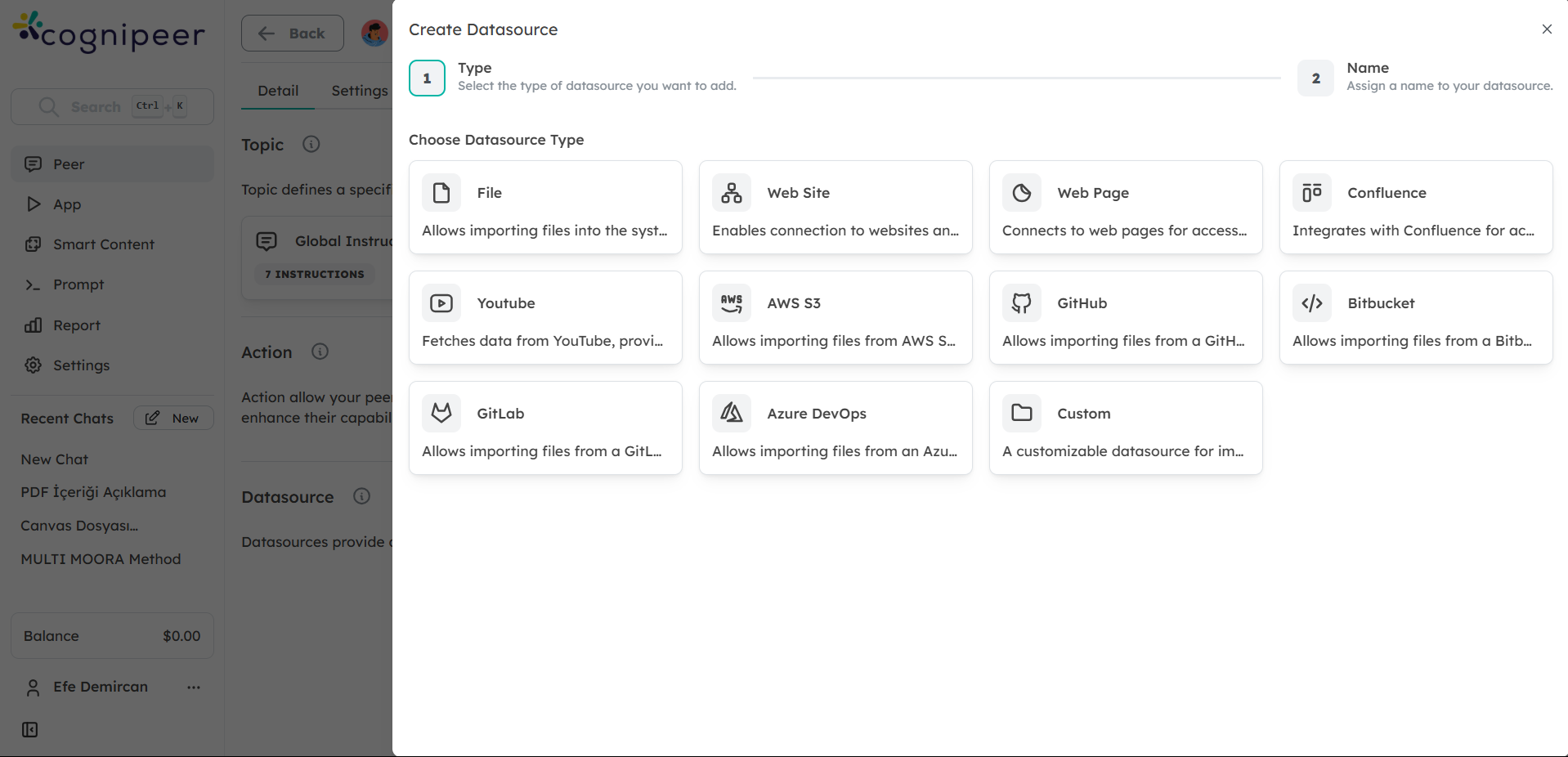
Upload Your File: Choose the file you want to upload. Ensure the file is in one of the supported formats (TXT, XLSX, CSV, PDF, DOCX). You can upload multiple files if needed.
- TXT: For unstructured text data.
- XLSX: For structured data in Excel format.
- CSV: For simple tabular data.
- PDF: For official documents, contracts, or reports.
- DOCX: For detailed text documents or contracts.
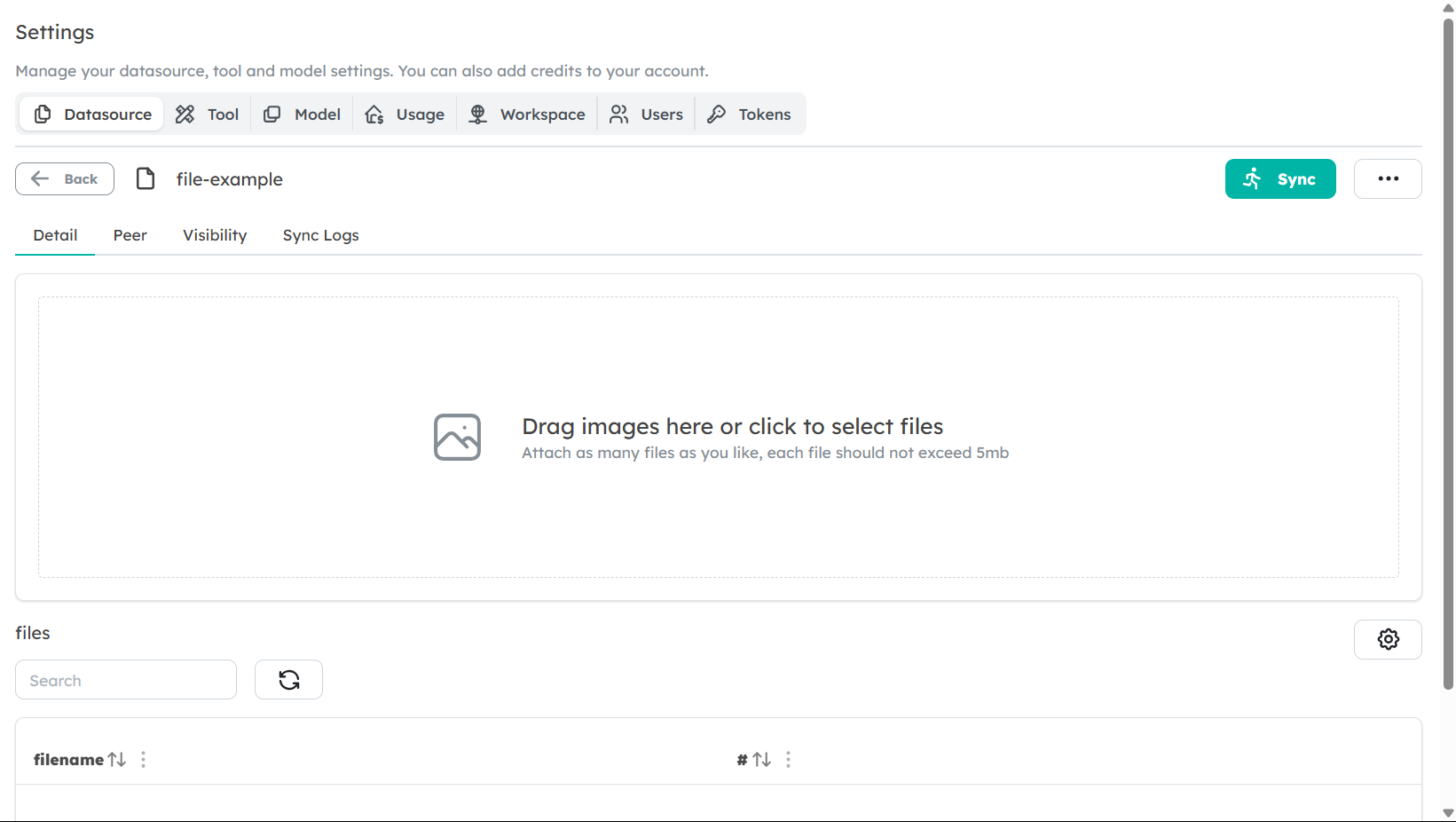
Configure the Data Usage: Depending on the file type, configure how the Peer should handle the data. For example:
- XLSX or CSV: Choose the relevant sheet or columns to focus on specific data.
- PDF or DOCX: Choose if the Peer should summarize the content, retrieve specific sections, or extract data tables.
Enable the Data Source: Once uploaded, the file will be connected, and your Peer will be able to retrieve the content as part of its responses.
Best Practices for File Data Sources
- Structure Your Data: Ensure that the files are well-organized. For example, in XLSX or CSV files, use clear headers and avoid mixing data types in the same column.
- Use Clear File Names: Descriptive file names can help you easily locate and manage your files in Cognipeer.
- Check File Size: Large files might take longer to process. Ensure that files are optimized for efficient retrieval.