

Integration in Cognipeer
Integrations connect Cognipeer with third-party platforms, allowing your Peers to operate seamlessly across multiple channels. By integrating with tools like Slack or WhatsApp, Peers can communicate directly with customers and teams.
Adding an Integration
To set up an integration, navigate to the Integration section in the Dashboard.
Adding a New Integration
- Integration Type: Select the platform (Slack, WhatsApp, etc.).
- API Credentials: Enter the required API keys and credentials.
- Assign to Peer: Choose which Peers will utilize this integration.
Integration Gallery
The Integration Gallery offers pre-configured integrations that can be quickly installed. These integrations make it easier to connect with external platforms.
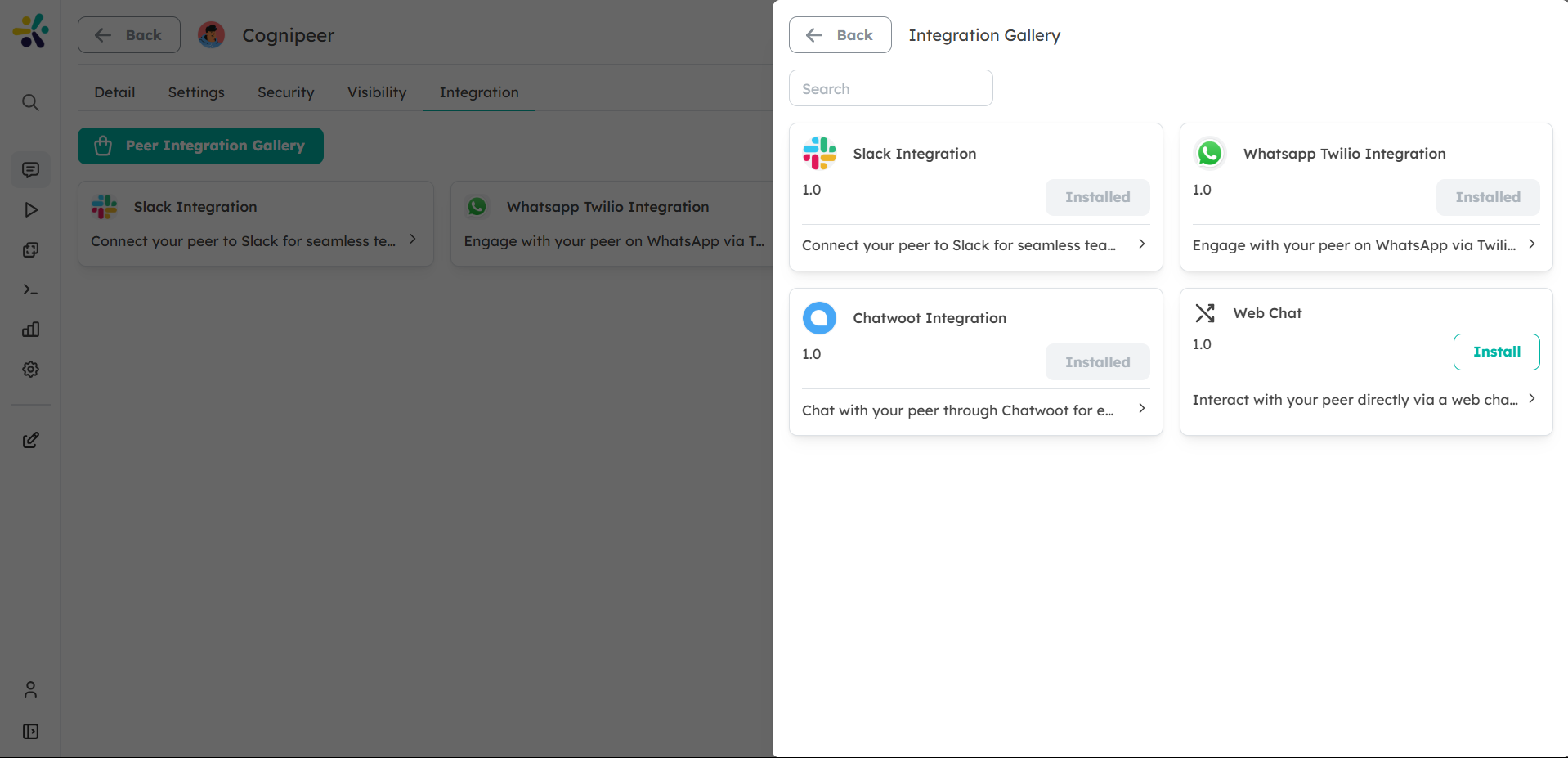
Example Integrations in the Gallery
- Slack: Allow Peers to send and receive messages directly in Slack channels.
- WhatsApp Twilio: Integrate WhatsApp for customer service, allowing Peers to respond to customers in real-time.
- Shopify: Enable Peers to pull data from Shopify, making them useful in e-commerce settings.
Managing Integrations
Once added, you can manage your integrations:
- Connection Status: Monitor the health and status of each integration.
- API Rate Limits: Ensure that API usage stays within limits.
- Peer Assignment: Change which Peers use the integration.
Conclusion
Integrations allow your Peers to interact with external platforms, extending their capabilities and improving how they assist your business across multiple channels.