

Tool Integration in Cognipeer
Tools expand the functionality of your Peers, enabling them to carry out complex tasks such as document reading, web searching, and API calls. Tools can be selected from a gallery or customized for specific use cases.
Adding a Tool
You can add a tool through the Tool List section. Cognipeer provides system tools by default, but you can also create custom tools.
Adding a New Tool
- Tool Type: Select the tool type (Document Reader, Web Browser, etc.).
- Tool Configuration: Set up tool parameters such as URLs or API keys.
- Assign to Peer: Choose which Peer will use the tool.
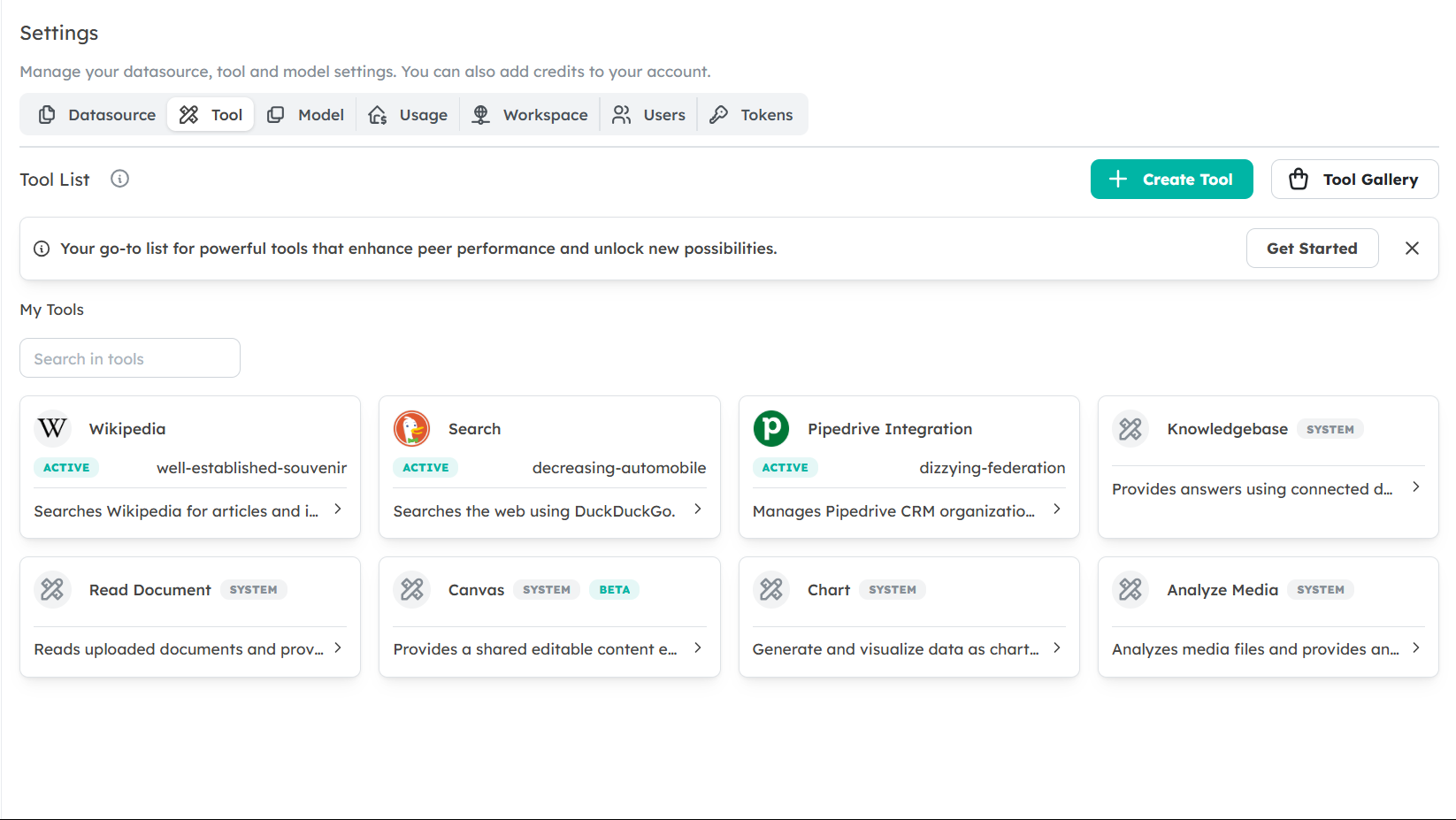
Tool Gallery
The Tool Gallery provides pre-configured tools that can be integrated into your Peers with a single click. These tools are designed to cover common business needs.
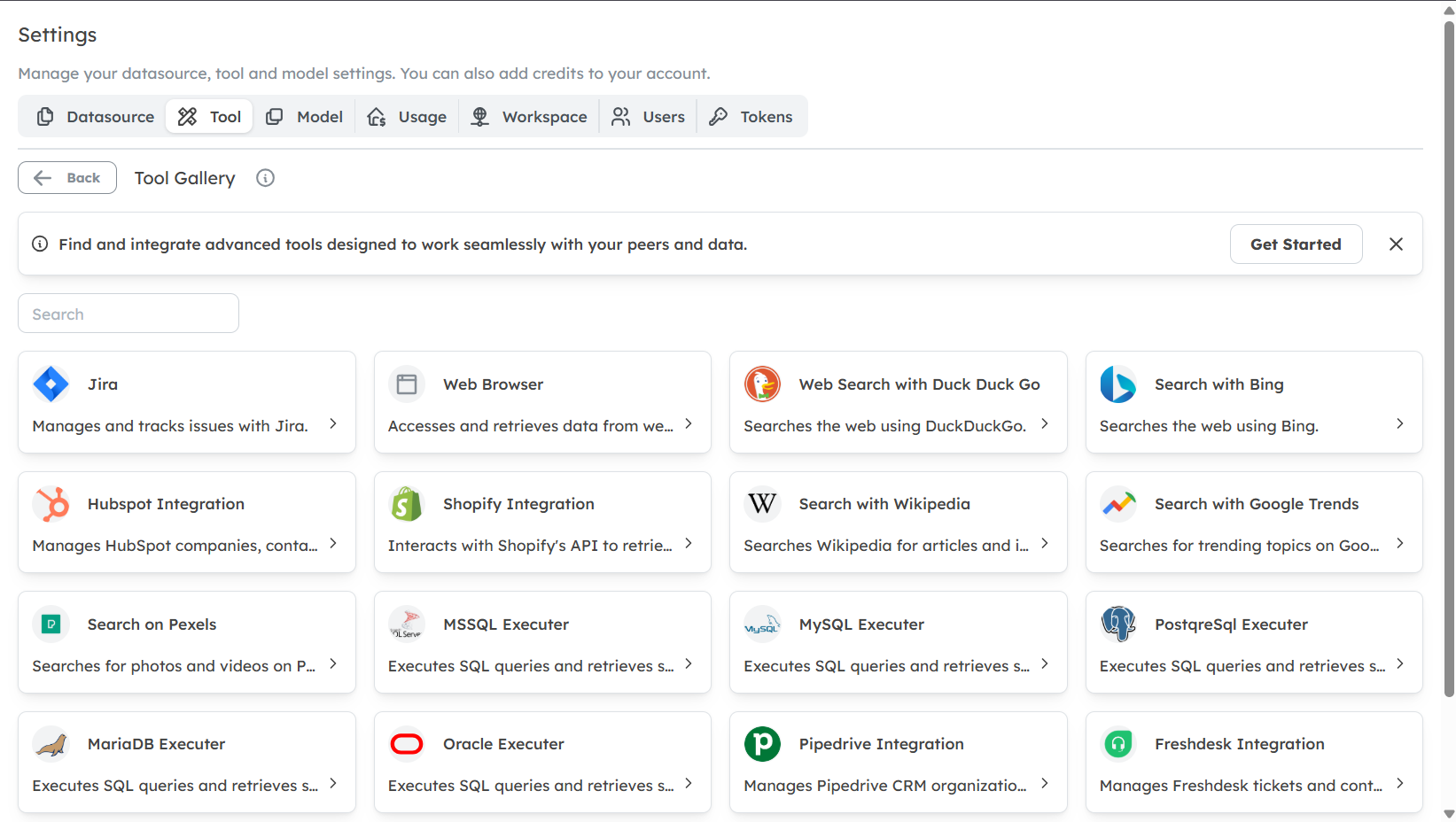
Example Tools in the Gallery
- Web Browser: Allows Peers to browse the web and retrieve content.
- Read Document: Enables Peers to read and interpret documents for insights.
- HubSpot Integration: Connects to HubSpot to manage customer relationships and extract relevant information.
Custom Tools
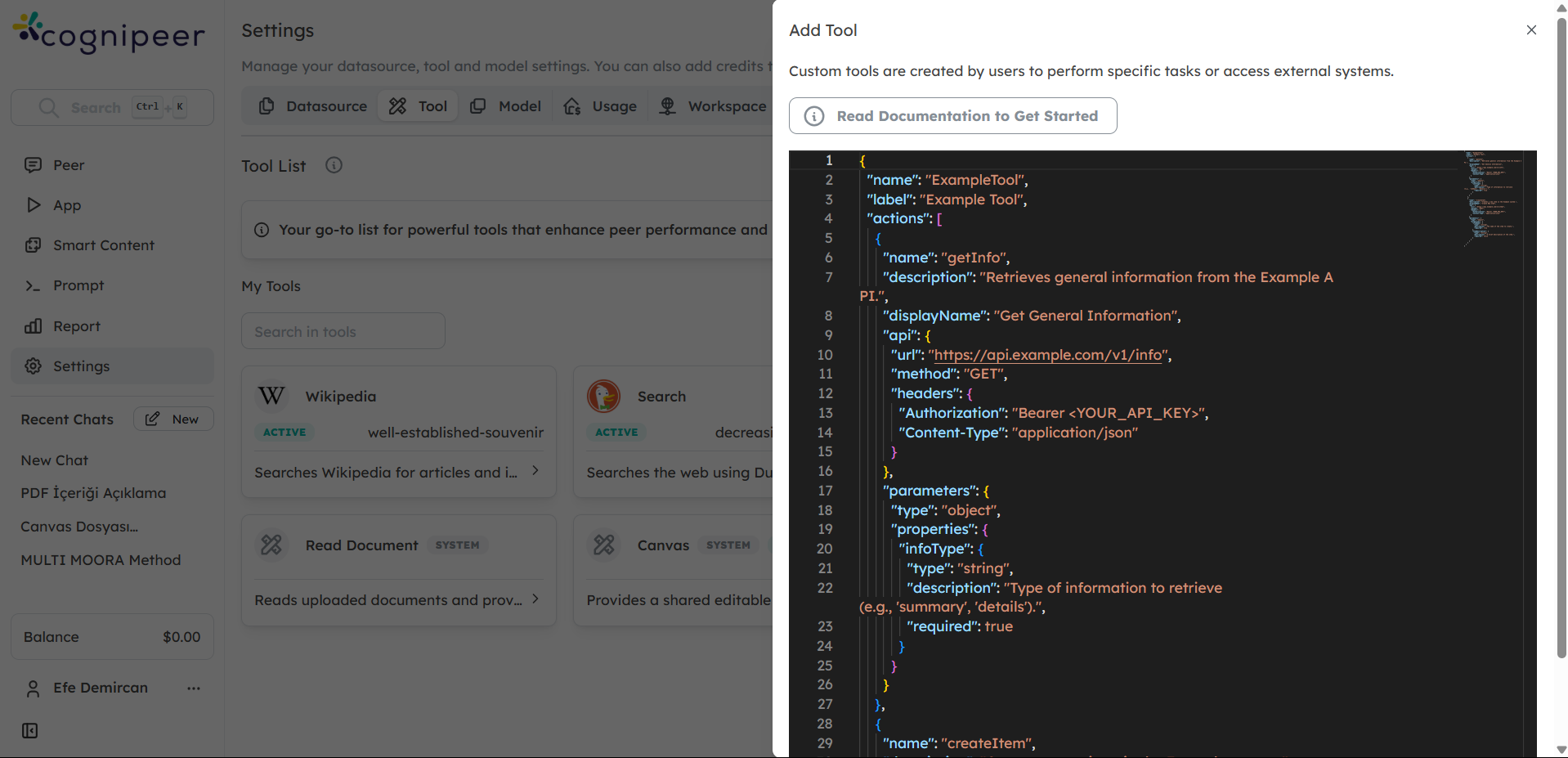
You can also create custom tools using JSON definitions. This allows for flexibility in designing tools that fit your specific business needs.
Conclusion
Tools enhance the capabilities of your Peers by allowing them to perform specialized tasks, making them more effective in supporting your business.