

Knowledge Engine
The Knowledge Engine (Retrieval-Augmented Generation / RAG) service provides end-to-end document ingestion, chunking, embedding, and semantic retrieval. It surfaces in the console as Data → Knowledge Engine.
Knowledge Engine
A Knowledge Engine module is the configuration unit that ties a chunking strategy, an embedding model, and a vector index together. The Knowledge Engine screen lists every module configured for the active project, with counters for modules, documents indexed, and chunk count.
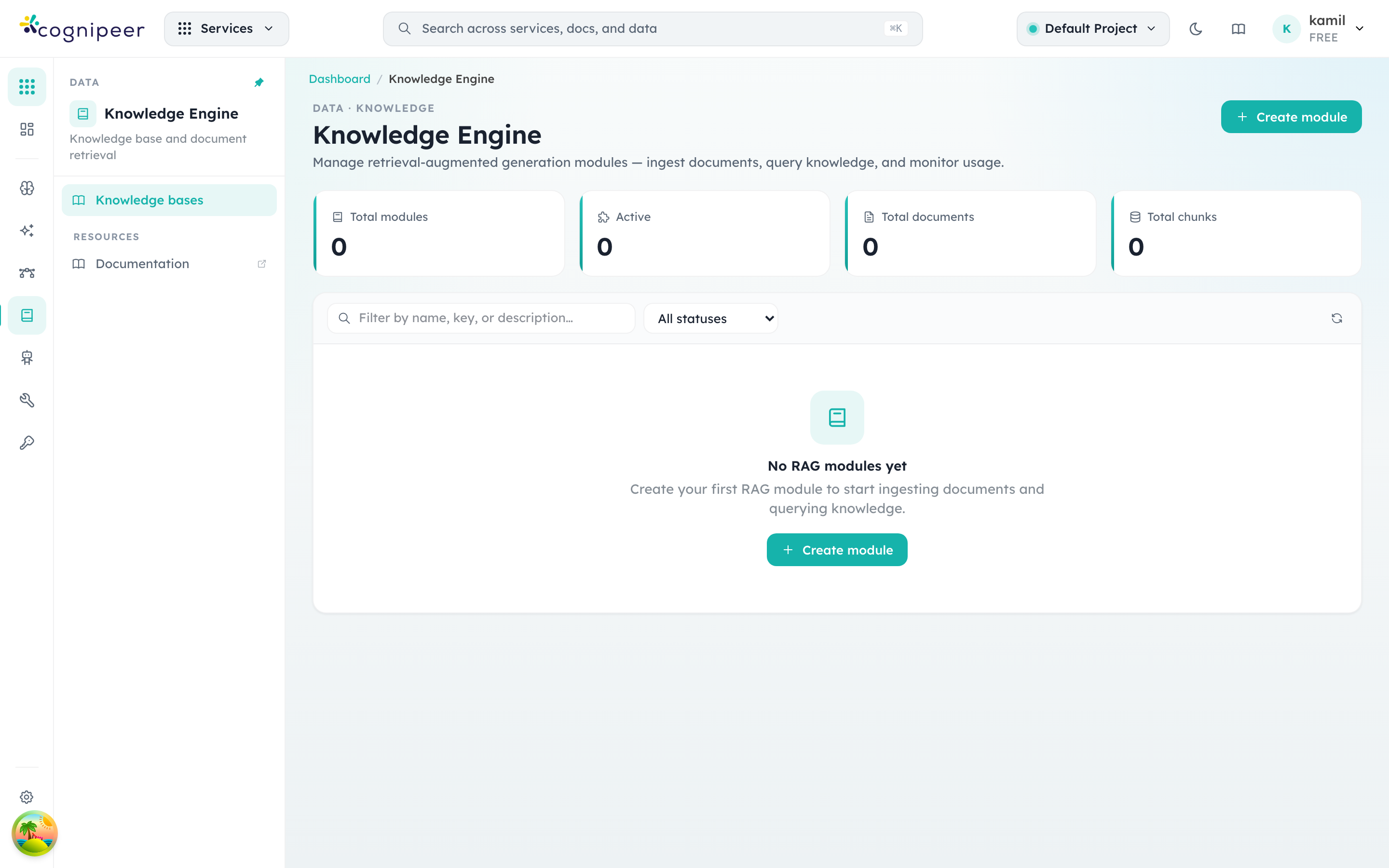
When the project is empty the screen shows the onboarding CTA — clicking Create module opens a multi-step form where you choose the source datasource, pick chunking parameters (size, overlap, splitter), select an embedding model from Model Hub, point the output at a vector index (see Vector Stores), and — optionally — attach a Reranker to re-order results before they reach the LLM.
When a reranker is attached, retrieval becomes a two-stage pipeline: the vector store returns top-K candidates and the reranker scores them down to the final top-N. This is the recommended way to plug Cohere Rerank, Jina, Voyage, or any cross-encoder onto an existing Knowledge Engine module without changing the embedding model or vector store.
Architecture
Document → Chunk → Embed → Vector Store
                              ↓
Query → Embed → Vector Search → (Reranker?) → Return MatchesConcepts
| Concept | Description |
|---|---|
| Knowledge Engine Module | Configuration container linking chunking strategy, embedding model, and vector index |
| Document | A text or file ingested into a module |
| Chunk | A segment of a document after splitting |
| Query Log | Audit record of retrieval queries |
Service Functions
| Function | Description |
|---|---|
createRagModule() | Create module with chunk/embed config |
updateRagModule() | Update module settings |
deleteRagModule() | Delete module and associated data |
getRagModule() | Get by key |
listRagModules() | List modules for tenant |
ingestDocument() | Text ingestion: chunk → embed → store |
ingestFile() | File ingestion: convert → chunk → embed → store |
queryRag() | Semantic retrieval |
deleteRagDocument() | Delete document and its vectors |
reingestDocument() | Re-chunk and re-embed existing document |
listRagDocuments() | List documents in a module |
listRagQueryLogs() | Query audit log |
Module Configuration
{
  "name": "Support Knowledge Base",
  "key": "support-kb",
  "embeddingModelKey": "text-embedding-ada-002",
  "vectorProviderKey": "vectors-prod",
  "vectorIndexKey": "support-index",
  "rerankerKey": "support-rerank",
  "chunkConfig": {
    "strategy": "recursive",
    "chunkSize": 1000,
    "chunkOverlap": 200
  }
}rerankerKey is optional. When present, the matching reranker (see Reranker) runs after vector search and before the response is returned.
Text Ingestion
POST /api/client/v1/rag/modules/:key/ingest
Authorization: Bearer <token>{
"fileName": "product-faq.txt",
"content": "Long document text here...",
"contentType": "text/plain",
"metadata": { "source": "docs", "version": "2.0" }
}Pipeline:
- Split text into chunks using configured strategy
- Generate embeddings for each chunk
- Upsert vectors to the vector index
- Store document and chunk metadata
File Ingestion
Submit a file for automatic processing:
- File is converted to Markdown (using
@cognipeer/to-markdown) - Markdown is chunked according to module config
- Chunks are embedded and stored
Querying
POST /api/client/v1/rag/modules/:key/query
Authorization: Bearer <token>{
"query": "How do I reset my password?",
"topK": 5,
"filter": { "source": "docs" }
}Pipeline:
- Embed the query text
- Perform vector similarity search
- Return matching chunks with scores and metadata
Response:
{
  "matches": [
    {
      "content": "To reset your password, navigate to...",
      "score": 0.92,
      "metadata": { "source": "docs", "documentTitle": "Product FAQ" }
    }
  ]
}Attaching knowledge bases to an agent
An agent can search several Knowledge Engine modules. In the agent editor, add one row per module under Knowledge Engine:
| Field | Meaning |
|---|---|
key | The Knowledge Engine module. |
description | Tells the model when to use it ("Use for: HR policies"). Strongly recommended with more than one module. |
topK, minScore | Optional per-module overrides. When unset, the module's own defaults apply. |
filter | Optional fixed metadata filter, AND-ed with any filter the model supplies. |
enabled | Set to false to keep the row but stop using it. |
The agent setting knowledgeToolMode chooses the tool surface:
combined(default): oneknowledge_searchqueries every enabled module at once. Hits are merged by score (the best 10 overall) and tagged[kb: <key>, documentId: ..., file: ..., score: 0.xx]. Oneknowledge_read_documentandknowledge_read_document_linespair takes an optionalkbargument, and the document must belong to a bound module.separate: each module gets its own tools, suffixed with the module key (knowledge_search_<key>,knowledge_read_document_<key>, and so on), with the row's description added to the tool description.
The rows are stored as knowledgeBindings. The older single knowledgeEngineKey still works and is treated as one binding. When both are present, knowledgeBindings wins. Modules that are not visible to the agent's project are skipped with a warning.
Documents Tab
The Documents tab of a module lists its documents newest first, in pages. Use the search box to find a document by file name, the status filter (pending, processing, indexed, failed) to narrow the list, and the pager to change the page size. Re-index All applies to the whole module, not only the page you see.
API clients must page
The dashboard route GET /api/rag/modules/:key/documents no longer returns every document. It answers { documents, total, limit, offset } and takes search, status, limit and offset. The default page is 25 documents and the maximum is 100. Rows no longer carry the inline source text. A script that assumed one call returns the whole list must now loop over offset until it has total documents. The client API route GET /api/client/v1/rag/modules/:key/documents is unchanged.
Export and Import
Move the documents of a module to another module, project or environment with a JSONL file. Use Export and Import in the toolbar of the Documents tab.
Export downloads <module-key>.rag.jsonl. The first line is a header (format: "cognipeer.rag-module", version: 1, the export time, the module key, name and description, documentCount and skippedDocuments). Each following line is one document:
{"type":"document","fileName":"handbook.md","contentType":"text/markdown","metadata":{"team":"hr"},"chunkConfig":{},"content":"# Handbook ..."}What is exported is each document's file name, content type, metadata, chunk settings and source text. Vectors and chunks are not exported, because they belong to the embedding model of the module. A document with no loadable source text is not written and is counted in skippedDocuments.
Import reads such a file into the module you are on. The documents are re-chunked and re-embedded with that module's settings and queued for indexing. Content that did not change is skipped, so importing the same file twice does not duplicate anything. The screen shows Import finished: N of M document(s) queued, K failed. The file goes up in batches of 1000 lines.
- The header line is optional. A plain file of
{"fileName": "...", "content": "..."}lines imports too. - A header with a
versionother than1is refused. - One request takes at most 5000 documents. The dashboard splits large files for you; an API caller must do it.
- The module must exist and be active.
- Bad lines are reported with their line number and do not stop the rest (for example
fileName is required).
| Route | Purpose |
|---|---|
GET /api/rag/modules/:key/export | Download the module as application/x-ndjson |
POST /api/rag/modules/:key/import | Body { "data": "<JSONL text>" }. Answers { total, imported, failed, errors } |
Re-ingestion
When a document is updated or chunking config changes, use reingestDocument() to:
- Remove existing vectors for the document
- Re-chunk with current settings
- Re-embed and store new vectors
Dependencies
The Knowledge Engine pipeline integrates several control plane services:
- Inference Service — For generating embeddings
- Vector Service — For storing and querying vectors
- File Service — For file conversion (optional)
Metadata Filtering
Queries accept a filter in the console's canonical filter language, which the control plane pushes down to the vector store — see Vector Stores → Metadata Filtering for the operator list and per-provider support.
A module can also carry its own filter configuration:
| Setting | Effect |
|---|---|
defaultFilter | ANDed into every query against the module. Lets several sources share one vector index while each module retrieves only its own slice. |
filterableFields | Metadata keys callers may filter on. A query touching any other key is rejected with 400. The list is also surfaced to agents and MCP clients as the filter argument's documentation, so a model knows what it may narrow by. |
curl -X POST "$CONSOLE_URL/api/client/v1/rag/modules/support-kb/query" \
  -H "Authorization: Bearer $TOKEN" \
  -H "Content-Type: application/json" \
  -d '{
    "query": "how do I reset my password?",
    "topK": 5,
    "filter": { "source": "crawler", "depth": { "$lte": 2 } }
}'A filter the underlying vector store cannot push down is rejected rather than ignored, so a filtered query never silently returns unfiltered passages.