

Skills
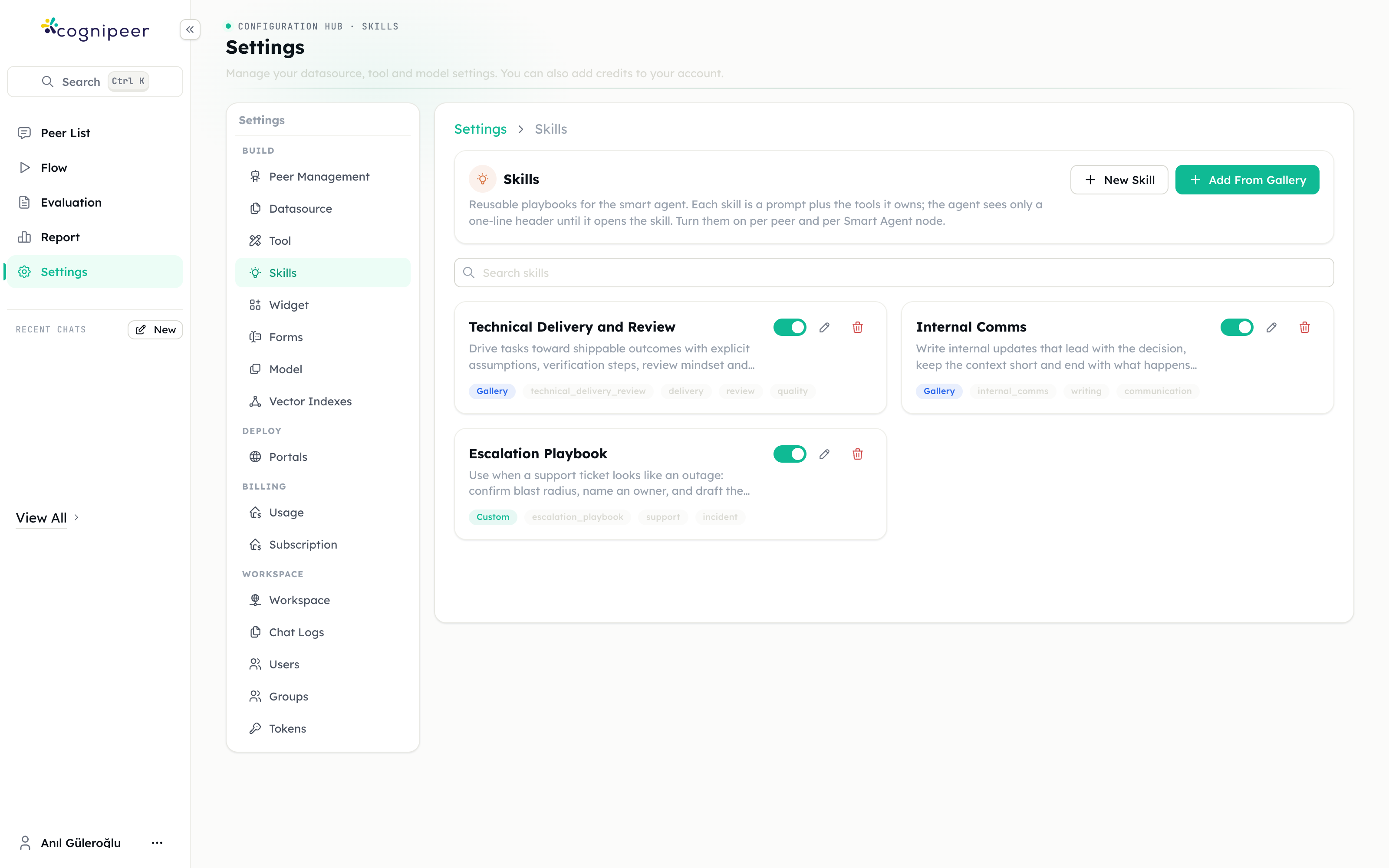
A skill is a reusable playbook for an agent: a set of instructions, plus the tools those instructions need. Skills are managed once per workspace and then turned on per Peer and per Smart Agent node.
Why not just a longer prompt
Because the agent only pays for what it opens.
Each skill is disclosed to the model as a one-line header — its title and description. The full instructions load into the context only when the agent decides to open that skill. The same is true of the skill's tools: they move out of the agent's always-on tool list and come back the moment the skill is opened.
That means a workspace can offer a dozen specialised playbooks without any single agent carrying a dozen playbooks' worth of prompt.
Anatomy of a skill
| Field | What it does |
|---|---|
| Title | The name the agent sees in the header |
| Description | The one-line "what and when" the agent always sees. This is what it uses to choose the skill, so make it decisive. |
| Instructions | The full playbook. Loaded into context only when the agent opens the skill. |
| Tags | Organisation for humans |
| Tools | Tools this skill owns. Leave empty for an instructions-only skill. |
Two of these deserve emphasis:
The description is the routing decision. "Formatting help" tells the agent nothing. "Use when a support ticket looks like an outage: confirm blast radius, name an owner, and draft the customer update" tells it exactly when to reach for this and when not to.
Tools picked here leave the always-on list. The tools come from the actions installed in the workspace, and the agent only actually has them when the action is also connected to the peer or the flow node.
Creating skills
Under Settings → Skills:
- New Skill writes one from scratch.
- Add From Gallery installs a ready-made skill — document generation, front-end design, delivery review, and others. Gallery skills are marked with a Gallery badge and can be edited afterwards like any other.
Each skill has an active toggle. Inactive skills are never offered to an agent, which is the safe way to retire one without deleting it.
Turning skills on for a Peer
A Peer's settings have a Skills section with three modes:
| Mode | Effect |
|---|---|
| Off | No skills are offered to this peer |
| All workspace skills | Every active skill, including ones added later |
| Only selected skills | Exactly the skills you pick |
Because a skill costs only its one-line header until it is opened, several can be on at once without bloating the prompt.
Turning skills on for a Smart Agent
Smart Agent steps have the same three modes, configured per node. A flow can therefore give its research agent one set of playbooks and its writing agent another.
Notes
- A skill that owns tools takes them out of the peer's always-on tool list. If a peer suddenly seems to have lost a tool, check whether a skill claimed it.
- Skills are workspace-level. There is no per-project skill list; scope comes from which peers and which agent nodes you enable them on.
Next steps
- Smart Agent step — where skills do most of their work
- Peer settings — enabling skills on a peer
- Tools — where the tools a skill can own come from