

Building apps
Write one JSON document; ship a working app. A manifest describes HTTP tools, skills, sub-agents, an MCP server, a chat panel and a settings form — with no Pulse-side code to write and nothing to host. Pulse validates it at publish time and executes the declared capability itself.
Strict by default
Every object rejects unknown keys. A typo fails the publish rather than becoming a field that silently does nothing.
Credentials are named, never written
A manifest is readable by every admin who installs the app and survives every export, so secrets live outside it and are referenced by placeholder.
Versions are immutable
Publishing mints a revision; rolling back writes a new one on top. History is never rewritten, and republishing an unchanged manifest is a no-op.
This page covers the manifest shape, the authoring lifecycle, managed authentication, the apps API and REST token scopes. For the user-facing concepts — states, audiences, connect cards — see Apps. For the live-panel protocol see App surfaces.
Before you start
- You need an organization admin role. Authoring, publishing and org-wide installs are admin-only.
- Have the external API's base URL, auth method, and the endpoints you want to expose as tools.
- Decide what is org-level configuration, what is an org-level secret, and what each user must supply themselves.
The authoring lifecycle
- Create the app — it starts as a draft, invisible to members.
- Edit the manifest and use Validate for a dry run: it runs exactly the checks publishing runs, and reports problems without writing anything.
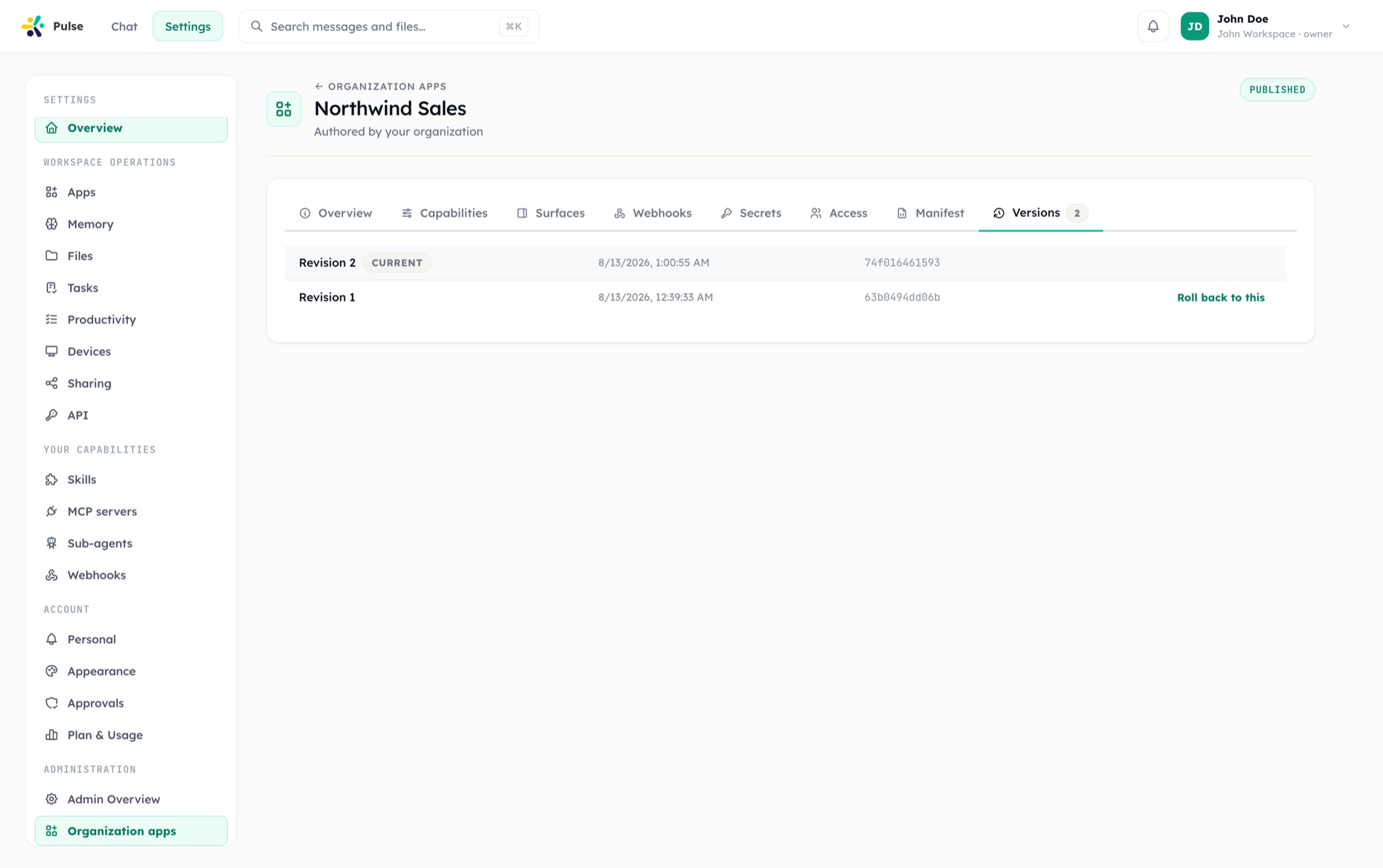
- Publish — the one action that creates a new immutable version. Republishing an unchanged manifest does not mint a new version.
- Configure — client secret and installation secrets, if the app needs them.
- Install and roll out — org-wide or per-user, with state, required mode and audience. See Organization apps.
- Roll back when needed — restoring an earlier revision creates a new revision on top; history is never rewritten.
- Suspend to pull an app out of service without deleting anything.
Concurrent edits are protected: requests carry the timestamp of the version you were looking at, and the server answers 409 Conflict if someone else changed the app in the meantime — reload and retry.
An installation may be pinned to a specific version. Unpinned installations resolve the app's current head revision, so publishing rolls everyone forward at once.
Manifest reference
The manifest is validated strictly: every object rejects unknown keys rather than stripping them. Stripping would make the stored bytes differ from what validated — and the stored bytes are what the content hash, and therefore publish idempotency, is computed over.
Top level
| Field | Required | Description |
|---|---|---|
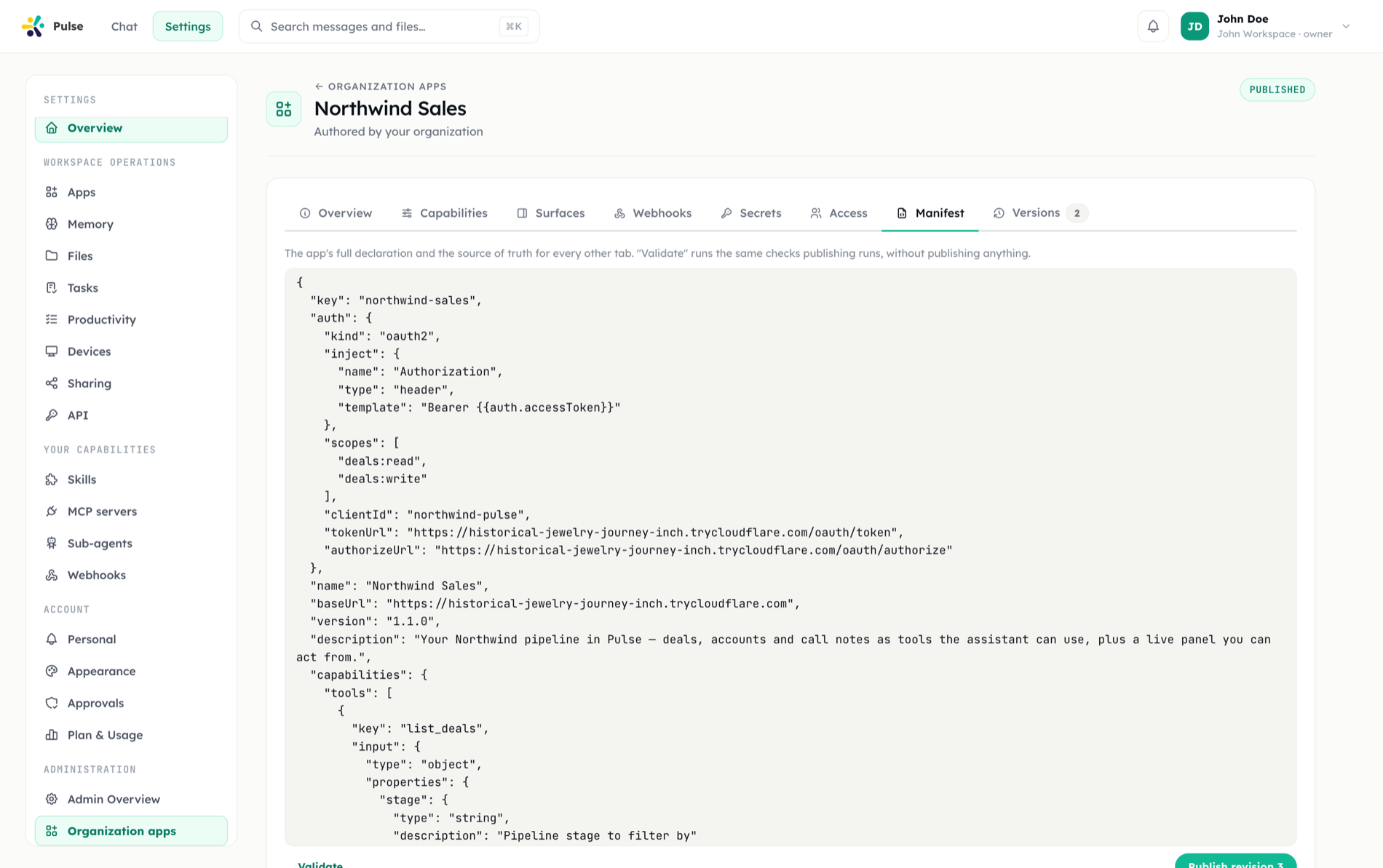
key | yes | App identifier — lowercase letters, numbers, - or _ |
version | yes | Semver, e.g. 1.0.0 |
name | yes | Display name |
description | no | Up to 4000 characters |
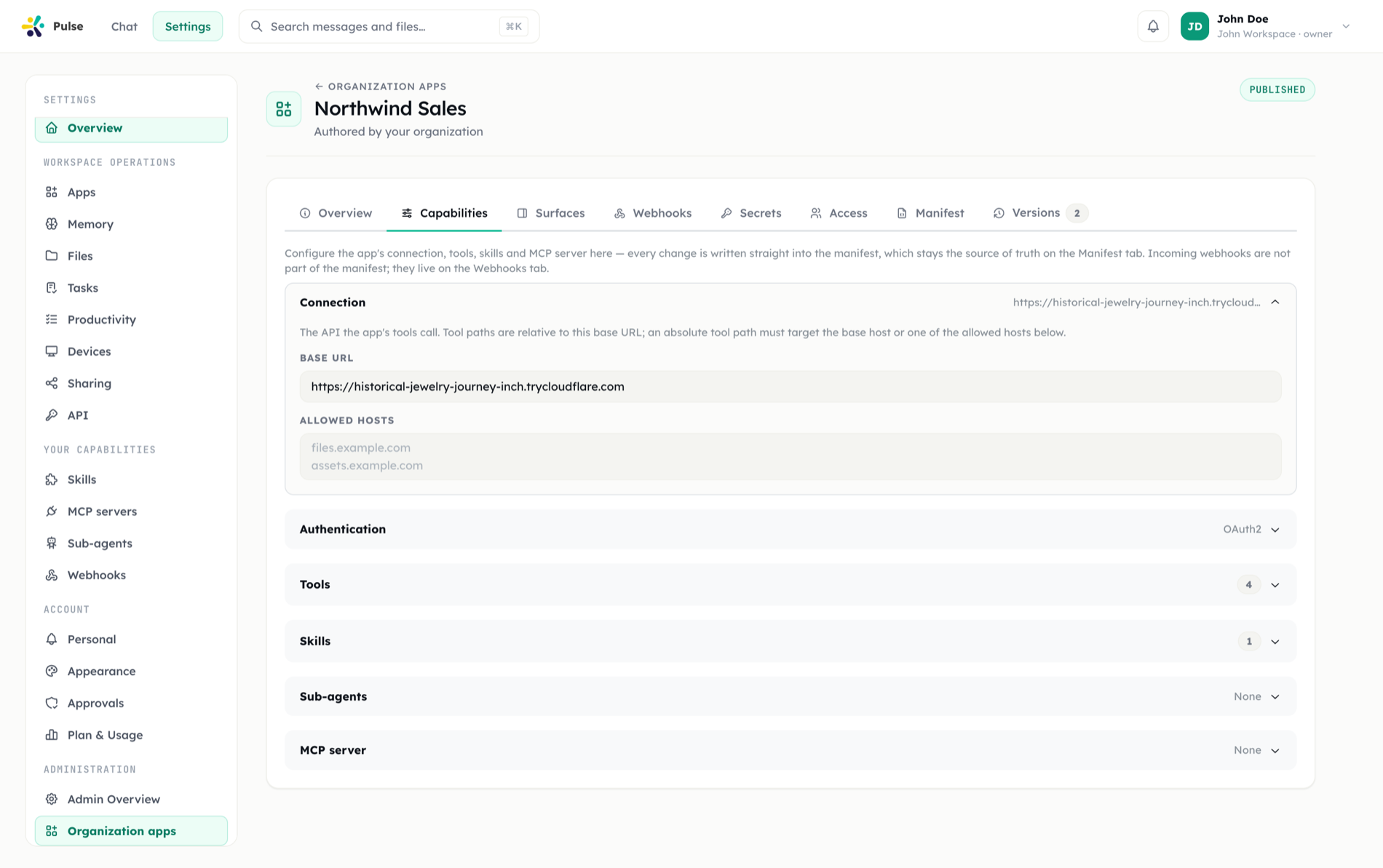
baseUrl | yes | Base URL all tool and surface paths resolve against |
allowedHosts | no | Extra hostnames tools may call — bare hostnames (optional port), no schemes, no wildcards, max 20 |
scopes | no | Pulse REST scopes requested for tokens minted on the app's behalf (see scopes) |
auth | no | Managed authentication (below) |
capabilities | no | tools, skills, remoteTargets, surfaces, mcp |
settingsForm | no | Org- and user-level settings fields |
capabilities.webhooks was retired
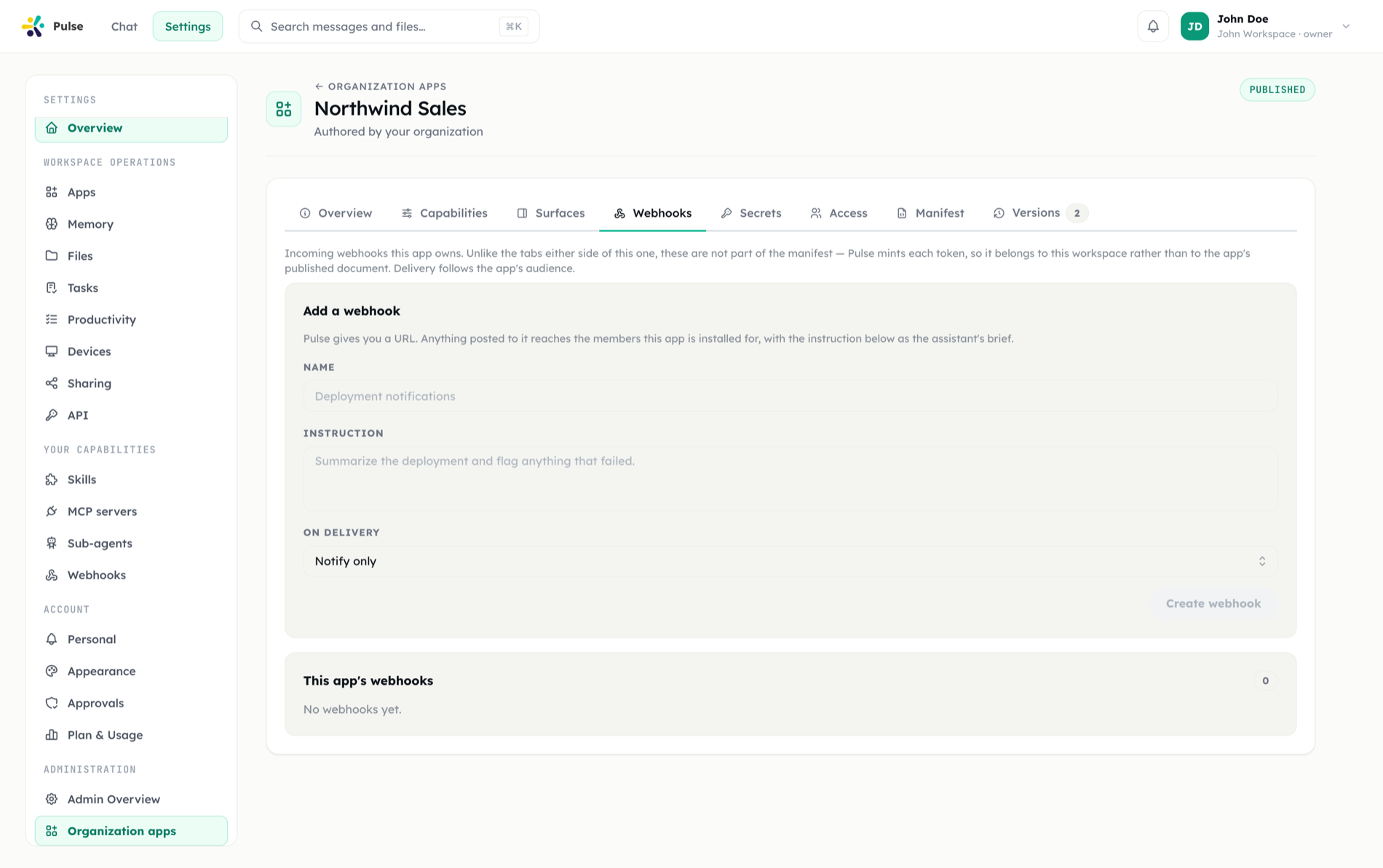
It validated for a while and never materialized anything. Incoming webhooks are configured per installation instead — an app's webhooks are managed through the installation webhook endpoints, not declared in the manifest. A manifest that still carries webhooks is rejected at publish with an explanatory error rather than silently ignored.
surfaces.messageWidgets and surfaces.quickReplies were removed for the same reason: both validated and neither was read at run time.
Template placeholders
Strings that reach an outbound request may use {{...}} placeholders from exactly five namespaces:
| Namespace | Resolves to |
|---|---|
{{input.*}} | The tool call's input arguments |
{{input}} | The whole arguments object — valid only as a body leaf on its own |
{{auth.*}} | A named field of the managed-auth credential, e.g. {{auth.accessToken}} |
{{user.vars.*}} | The calling user's context variables, including their secrets |
{{installation.config.*}} | The installation's org-level settings values |
{{installation.secrets.*}} | An org-shared installation secret — resolved only in capabilities.mcp.headers |
Any other placeholder is rejected at publish time, not at run time.
Two deliberate absences:
- Bare
{{auth}}is not allowed. It would serialize the entire decrypted credential — access token, refresh fields, everything the provider returned — into one request body. The shape is not expressible rather than merely discouraged. {{installation.secrets.*}}is never resolved on the per-call executor path. It is resolved only at provision time, when the value is re-encrypted straight into the MCP server's stored environment. Written anywhere else it stays literal braces, so treatcapabilities.mcp.headersas its only home.
Authentication (auth)
{
  "kind": "oauth2",
  "authorizeUrl": "https://example.com/oauth/authorize",
  "tokenUrl": "https://example.com/oauth/token",
  "clientId": "pulse-connector",
  "scopes": ["read", "write"],
  "inject": {
    "type": "header",
    "name": "Authorization",
    "template": "Bearer {{auth.accessToken}}"
  }
}| Field | Notes |
|---|---|
kind | oauth2 or api_key |
authorizeUrl, tokenUrl | Required for oauth2, rejected for api_key |
clientId | Public — belongs in the manifest |
scopes | Up to 32 |
inject | Places the credential into each request as a header or query parameter |
Injection templates must not contain CR/LF characters — a newline baked into a manifest would be a header-smuggling primitive, and publish is where that dies rather than a runtime check being the first to see it.
The client secret is never in the manifest. It lives encrypted on the installation, configured once by an admin for everyone, and is write-only: nothing reads it back. See Managed authentication for the flow, PKCE, the shared callback URL and token renewal.
Tools (capabilities.tools)
Each tool declares an HTTP request template:
{
  "key": "list_invoices",
  "description": "List recent invoices",
  "mutating": false,
  "riskClass": "read",
  "input": { "type": "object", "properties": { "status": { "type": "string" } } },
  "request": { "method": "GET", "path": "/v2/invoices", "query": { "status": "{{input.status}}" } },
  "response": { "itemsPath": "$.data", "fields": ["id", "amount", "status"], "maxItems": 50 },
  "pagination": { "type": "cursor", "param": "cursor", "cursorPath": "$.next_cursor", "maxPages": 5 }
}riskClassisread,writeordestructive, and must agree withmutating: a non-mutating tool must declareread, and a mutating one must not. If the two disagree, one surface lies to the user, so publish refuses.- The risk class is also what binds the tool's approval class:
readbinds as a governed read and stays inline-usable; anything else binds as governed. Without the declaration a tool would land on the fail-closed default and be approval-gated on every call. request.methodis one of GET, POST, PUT, PATCH, DELETE.responseprojects the upstream reply:itemsPath(a simple$.dotted[0].path), afieldsallowlist andmaxItems(max 200) keep responses bounded.paginationsupportscursor,pageandoffset, capped at 10 pages.- Headers a manifest may not set:
Host,Content-Length,Transfer-Encoding,Connection,Upgrade,TE,Trailer,Keep-Alive,Proxy-Authorization,Proxy-Connection— the transport owns them, and request smuggling rides on aTransfer-Encoding/Content-Lengthdisagreement.Authorizationis allowed; injecting it is whatauth.injectand{{user.vars.*}}are for.
At run time, declared tools appear to the assistant as app__<appKey>__<toolKey>.
Skills (capabilities.skills)
An app skill carries the full authored-skill shape: key, title, description, prompt (up to 24 000 characters), plus optional version, tags, category, icon, recommendedTargets, bindsExecutionTools, requires (integrations / MCP servers / tools), activation (manual, auto or always), triggerKeywords and priority.
scope is the one deliberate omission: where a skill lands — org-wide or personal — is the installation's decision, not the author's. Skill keys must not collide with built-in skills.
Sub-agents (capabilities.remoteTargets)
An app can bring A2A sub-agents the main agent may delegate to:
{
  "key": "billing-analyst",
  "title": "Billing analyst",
  "description": "Answers questions about invoices and dunning state.",
  "endpoint": "https://example.com/a2a",
  "headers": { "X-Team": "billing" }
}Five fields, and the omissions are the design: transport, protocol version and capabilities come from the remote's own agent card at dispatch time, so declaring them here would only create a document that can disagree with reality.
The ceiling is 10 per app — lower than skills, because one line per sub-agent lands in every main-agent turn, whereas a skill's body is only read once it is opened.
On headers: only {{user.vars.*}} resolves on a sub-agent request, and a header whose name says credential (Authorization, Proxy-Authorization, X-Api-Key, Api-Key) must carry a placeholder rather than a literal. A manifest is readable by every admin of every organization that installs the app and survives every export, so a credential may be named there but never written.
Calls to a custom sub-agent endpoint are on the egress policy surface.
Surfaces (capabilities.surfaces)
{
  "rightPanel": [
    { "key": "expenses", "title": "Expenses", "dataUrl": "/pulse/panel", "ttlSeconds": 60 }
  ],
  "interactivity": { "url": "/pulse/action" }
}rightPanel— at most one panel. Sub-pages live inside the panel through in-panel navigation.dataUrlmakes it live; awidgetwith nodataUrlmakes it static.ttlSecondsis clamped to 5–86 400 (default 60).interactivity.url— one action endpoint for the whole app. A panel whose staticwidgetuses buttons or form fields must declare it: publish refuses a panel with actions and nowhere to send them.
The full protocol — signing, the component catalog, the action and response contracts — is documented in App surfaces.
MCP (capabilities.mcp)
{
  "transport": "streamable_http",
  "url": "https://mcp.example.com/sse",
  "headers": { "Authorization": "Bearer {{installation.secrets.mcp_token}}" }
}transport is sse or streamable_http. Installing the app provisions the server; uninstalling removes it.
This is the only way an org-shared MCP server exists. The separate Organization MCP screen was removed: a shared server with no manifest behind it would have no rollout story, no audience and no rollback. Personal MCP servers are unaffected — those remain a member's own belt. Per-user blocks that used to be configured against a server id are now audience exclusions on the installation.
Because a manifest is stored as plain JSON, forever, per revision, a token cannot live in it. Two publish-time rules enforce that:
A credential-carrying header must reference a credential, not contain one. The name test is deliberately broad here — the exact names plus any header whose name contains
token,secret,apikey,password,cookieorauth. Three reference forms are accepted:Form Scope Resolved {{installation.secrets.<key>}}Org-shared At provision time, re-encrypted into the server's stored environment {{auth.<field>}}Per user At call time, from the member's managed-auth grant {{user.vars.<key>}}Per user At call time, from the member's context variables A referenced installation secret must be declared. Naming
{{installation.secrets.mcp_token}}without asettingsFormfield keyedmcp_tokenwithscope: "installation",secret: true,type: "password"fails the publish — an undeclared key would otherwise resolve to nothing and surface hours later as a 401 to someone who did not write the manifest.
Migrating existing shared servers
Deployments upgrading from hand-registered organization MCP servers run a one-time adoption pass that installs a capability app per server and moves its encrypted headers into installation secrets. It is idempotent — the legacy row keeps its cached tool discovery, enabled state and per-user blocks rather than being rebuilt.
Settings form (settingsForm)
Up to 40 fields, each with key, label and a type of text, password, url, number, select or textarea, plus optional required, description, placeholder, options (for select, max 50), defaultValue, secret, scope and group.
| Rule | Why |
|---|---|
scope: "installation" is answered once by an admin; scope: "user" (the default) by each member | Org configuration vs. personal configuration |
A secret field must use type: "password" | The renderer masks by type while storage encrypts by secret — a secret text field would print the value on screen |
A secret field cannot carry a defaultValue | That is a secret committed into a readable manifest |
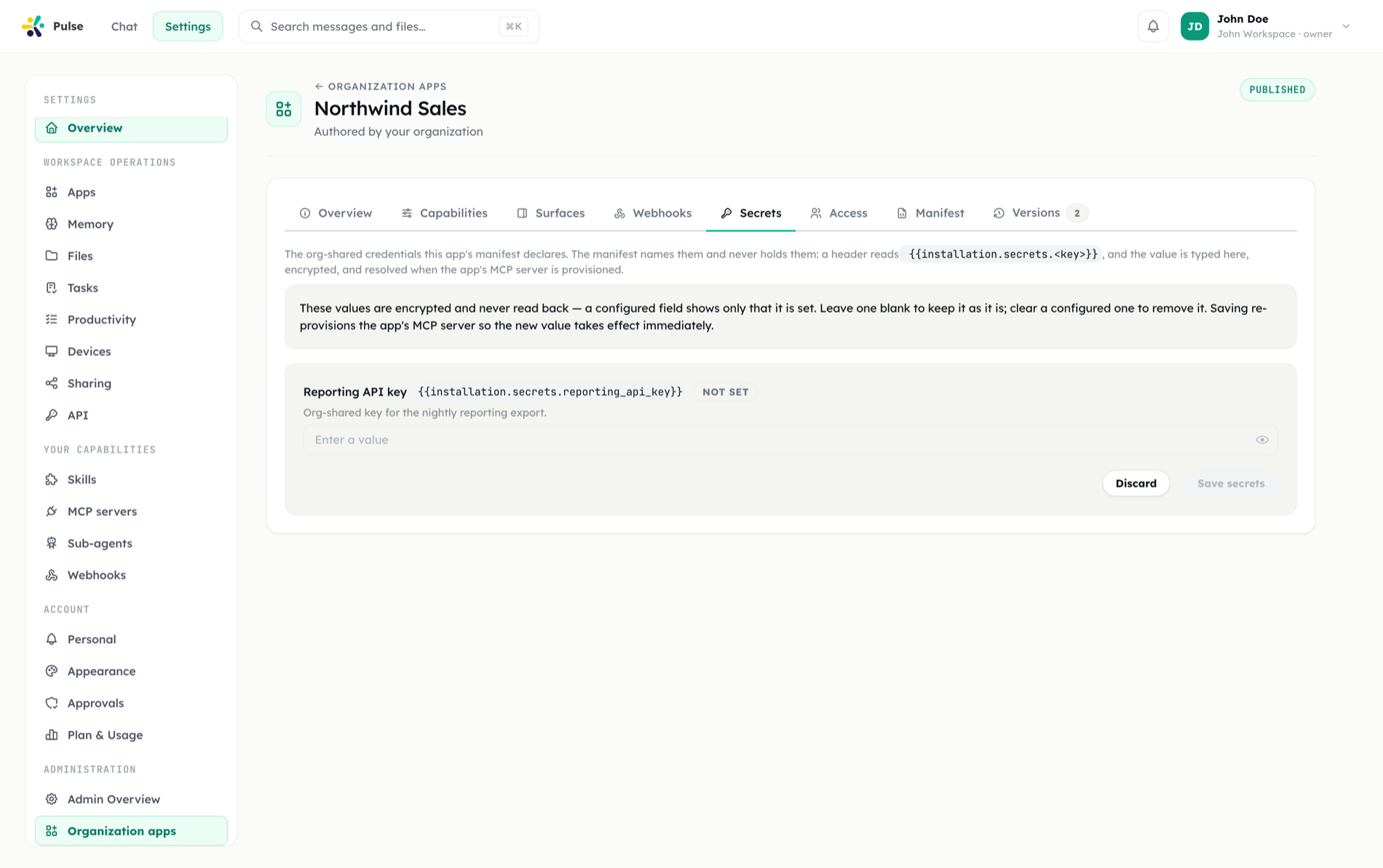
| An installation-scoped secret is allowed and stored in its own encrypted, write-only column | An installation's plain config is readable by every member — which is what makes {{installation.config.*}} safe on a member's call path. Secrets never land there. |
installation, auth, input and user are reserved keys | The template namespaces own those words |
Secret values are never returned by the API; reads report only which keys are configured. Saving merges rather than replaces — an absent key is left alone, an explicit clear removes it — so an admin retyping one field does not wipe the rest.
Changed since the previous release
Installation-scoped secrets used to be rejected outright. They are now legal and have their own encrypted column. What survives from the old rule is the reason behind it: the value must never land in config, which the write path still enforces.
Hosts and egress
Two layers keep declared tools and surfaces from reaching where they should not:
- At publish time, hostnames written in the manifest are checked literally:
localhost,.local/.internalnames, private and reserved IP ranges, and IPv6 literals are rejected. An on-prem service on a private address is a runtime knob, not a manifest literal. - At request time, every resolved address is checked again — private and internal ranges are blocked and redirects are not followed.
Requests may only target the manifest's baseUrl host plus allowedHosts. On-prem deployments that legitimately need an internal service open two gates, never one: the PULSE_CONNECTOR_ALLOW_PRIVATE_EGRESS environment flag and a per-installation allowed-host list. See Egress and SSRF control.
Ceilings
| Limit | Value |
|---|---|
| Tools | 40 |
| Skills | 20 |
Sub-agents (remoteTargets) | 10 |
| Right panels | 1 |
| Allowed hosts | 20 |
| Settings fields / options per field | 40 / 50 |
| OAuth scopes | 32 |
| Serialized bytes per tool | 16 000 |
| Request-body template bytes | 8 000 |
| Tool input-schema bytes | 8 000 |
Response maxItems / maxPages | 200 / 10 |
The apps API
The app registry and installations are managed over the authenticated /api surface. All routes are scoped to your organization; org-wide installation objects and everything under authoring are admin-only.
Registry and authoring
| Endpoint | Who | Purpose |
|---|---|---|
GET /api/apps | members | Published, installable apps (?scope=authored — admin: own apps incl. drafts) |
POST /api/apps | admin | Create an app (draft) |
GET /api/apps/:id | members | One app (drafts visible to admins only) |
PATCH /api/apps/:id | admin | Update metadata; supports expectedUpdatedAt CAS |
POST /api/apps/:id/publish | admin | Validate + store the manifest as a new version |
POST /api/apps/:id/validate-manifest | admin | Dry-run validation; returns {valid, message} with HTTP 200 |
GET /api/apps/:id/versions | admin | Version history |
POST /api/apps/:id/rollback | admin | Restore a revision (as a new revision) |
POST /api/apps/:id/status | admin | Set draft or suspended |
POST /api/apps/:id/signing-secret/rotate | admin | Mint a new surface signing secret — the only response that carries the plaintext |
DELETE /api/apps/:id/signing-secret | admin | Clear it; interactions are then sent unsigned |
Installations
| Endpoint | Who | Purpose |
|---|---|---|
GET /api/apps/inventory | members | The caller's app inventory (the Apps hub view) |
GET /api/apps/installations | members | Visible installations |
POST /api/apps/:id/install | members/admin | Install — scope: "self" (default) or "organization" (admin); admins may also set state, installMode, audience, syncMode |
DELETE /api/apps/installations/:id | owner/admin | Uninstall (org-wide and forced rows: admin only; built-in apps refuse with 409) |
POST /api/apps/installations/:id/state | admin | enabled / available / disabled |
POST /api/apps/installations/:id/mode | admin | optional / forced |
POST /api/apps/installations/:id/audience | admin | all or subset, with group ids, user ids and exclusions |
GET/PATCH /api/apps/installations/:id/user-config | owner | The caller's answers to the app's user-scoped settings; secrets masked |
GET/PUT /api/apps/installations/:id/secrets | admin | Org-shared installation secrets — GET returns configured keys only; PUT merges |
PUT /api/apps/installations/:id/client-secret | admin | Store or clear the OAuth client secret (write-only) |
Connections and surfaces
| Endpoint | Who | Purpose |
|---|---|---|
GET /api/apps/installations/:id/connection | owner | Managed-auth connection state |
POST /api/apps/installations/:id/connect | owner | Begin the OAuth flow; returns the authorize URL |
GET /api/apps/oauth/callback | — | The single deployment-wide redirect URI |
DELETE /api/apps/installations/:id/connection | owner | Disconnect and delete the grant |
GET /api/apps/surfaces/:appKey/:panelKey | members | Render a panel (server-side fetch, credential injected) |
POST /api/apps/surfaces/action | members | Dispatch a surface interaction (signed) |
GET /api/apps/chat-panels | members | App-contributed side panels for the caller |
GET /api/chat-panels | members | The full panel catalog, app and built-in |
Webhooks
| Endpoint | Who | Purpose |
|---|---|---|
GET/POST /api/apps/installations/:id/webhooks | admin | List / create incoming webhooks owned by the installation |
PATCH/DELETE /api/apps/installations/:id/webhooks/:webhookId | admin | Update / remove one |
GET /api/apps/installations/:id/webhooks/:webhookId/events | admin | Delivered events for one webhook |
Notes
- Concurrency: pass
expectedUpdatedAton updates and publishes; a stale timestamp returns 409. kindis never client-settable — an org-authored app cannot stamp itself first-party.- Credentials never travel: app and installation responses strip credential columns, and there is no read path for a stored secret. The one exception is the signing-secret rotate response, which is the only place the plaintext exists outside the encrypted column.
- Uninstall cascades to app-owned capability — skills, sub-agents, MCP servers, incoming webhooks, event listeners — and deliberately never to user content.
- Personal installs respect the organization's capability self-service policy: a workspace that has closed skill self-service has also closed app self-install for members.
REST token scopes
Personal Access Tokens used against the public REST surface (/rest/v1/*) carry scopes. Eight coarse scopes exist:
| Scope | Grants |
|---|---|
profile:read | Read the token's identity (GET /rest/v1/me) |
messages:read | Read chat messages and assistant status |
messages:write | Send messages into the owner's chat |
files:read | List, inspect, and download workspace files |
files:write | Upload and delete workspace files |
mcp:manage | List, register, and remove MCP servers |
webhooks:manage | Manage incoming webhooks and their events (admin role still required) |
memory:read | Read saved memory facts |
Per-endpoint requirements:
| Endpoint | Scope |
|---|---|
GET /rest/v1/me | profile:read |
POST /rest/v1/messages | messages:write |
GET /rest/v1/messages, /messages/recent, /chat/status | messages:read |
POST /rest/v1/files, DELETE /rest/v1/files/:id | files:write |
GET /rest/v1/files, /files/:id, /files/:id/download, /files-by-name | files:read |
GET/POST /rest/v1/mcp, GET/DELETE /rest/v1/mcp/:id | mcp:manage |
All /rest/v1/incoming-webhooks* and webhook-event endpoints | webhooks:manage |
GET /rest/v1/memory | memory:read |
Behavior to know:
- A request whose token lacks the required scope receives 403 with the missing scope named in the message.
- Every
/rest/v1endpoint must declare a scope. One that ships without a declaration answers 500, not "open" — the map fails closed. - Legacy tokens keep working: tokens minted before scopes existed carry no scope list and are grandfathered with full
/rest/v1access. Newly minted tokens always carry an explicit scope list, so this population only shrinks. Minting a token with an empty selection is refused for the same reason. - App-minted tokens are never grandfathered — for them, an empty scope list means nothing is allowed.
- Management scopes are an and on top of role checks:
webhooks:managedoes not bypass the admin-role requirement.
The in-product API Reference (under Settings) documents request and response bodies for every REST endpoint.
Related
- Apps — states, audiences, connect cards, and the Apps hub
- App surfaces — live panels, actions, and signing
- Security & governance — how declared capability is gated at run time
- Webhooks
- Approvals — how risk classes surface to users
- Settings & administration