

Flows
A Flow is a workflow you draw instead of code. It starts from something — a message, a form, a schedule, an API call, a piece of work someone hands it — runs a series of steps, and produces a result.
What separates a Flow from a simple automation is what it is allowed to do along the way: call language models, search your knowledge base, run an autonomous agent, execute code on a real machine, stop and ask a human, and remember what it learned for next time.
Why flows exist
A Peer answers questions in a conversation. That is the right shape for "help me understand this", and the wrong shape for "do this, every time, the same way, and show me the receipts".
Flows cover the second case:
- The sequence matters. Classify first, then branch, then escalate — not whatever the model decides this time.
- The work outlives the conversation. A run can pause for two days waiting for an approval and pick up exactly where it stopped.
- Somebody has to be able to check it. Every run is traced step by step, with the input and output of each one.
- It has to be repeatable. The same flow, the same version, the same result — and a comparison view when it is not.
You can still use both together: a Peer can call a flow as a tool, and a flow can ask a Peer a question.
The shape of it
Four ideas, in the order you meet them:
| Concept | What it is |
|---|---|
| Project | A folder with a shared workspace. Groups related flows and owns the things they share: secrets, sandboxes, memory and tasks. |
| Flow | The workflow itself: a trigger, a graph of steps, and one or more final steps. |
| Task | A piece of work handed to a flow by a person or another system, with its own status, approvals and output files. |
| Run | One execution of a flow, traced step by step. |
A flow can live on its own — it appears under Unassigned and works fine. It just cannot use anything a project owns.
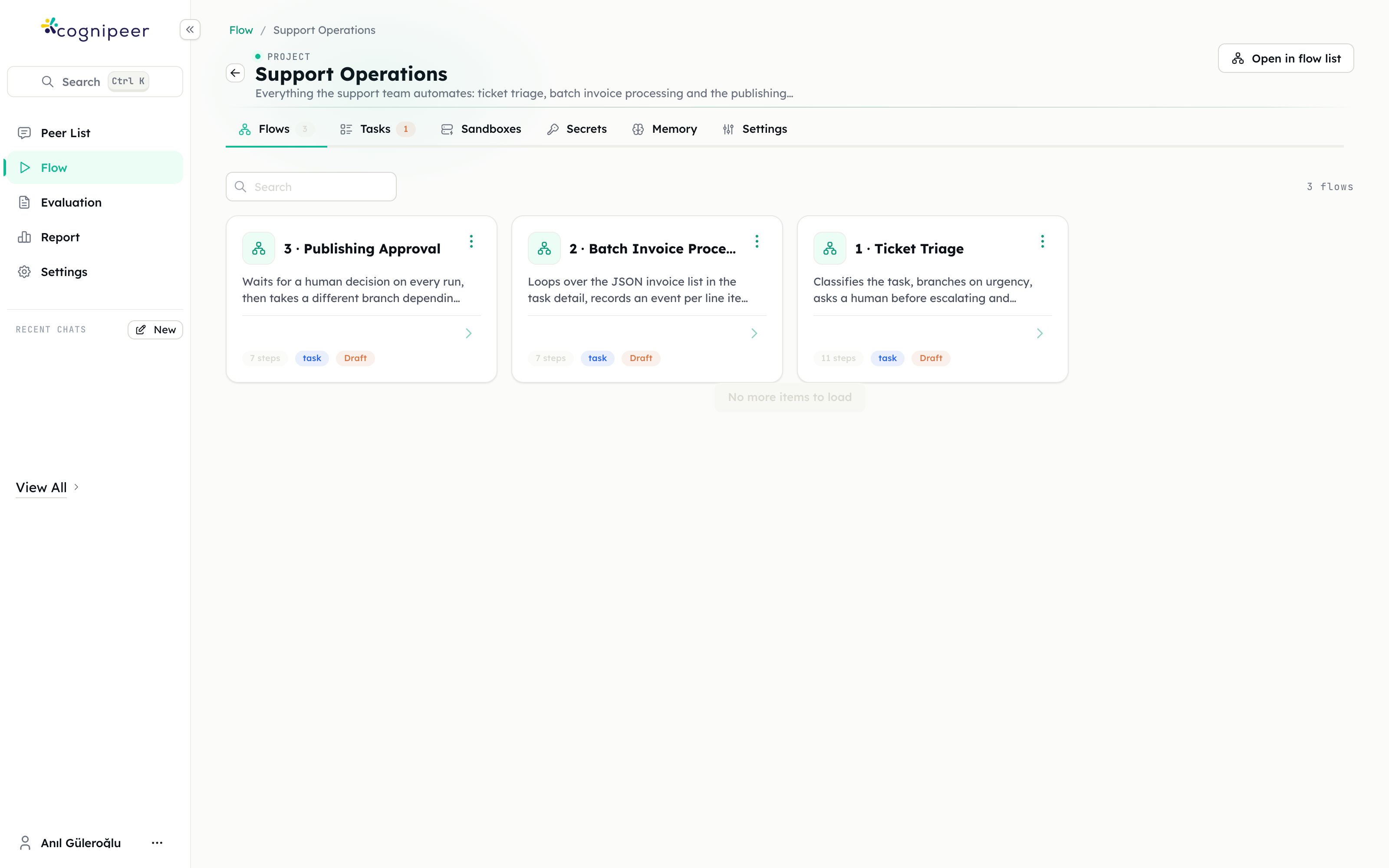
Project "Support Operations"
├── Secrets      GITHUB_TOKEN, SUPPORT_INBOX
├── Sandboxes    report-builder, invoice-worker
├── Memory       escalation_owner, sla_hours, tone_of_voice
├── Flows        1 · Ticket Triage
│                2 · Batch Invoice Processing
│                3 · Publishing Approval
└── Tasks        "Production is completely down"  → completed
"Publish the pricing announcement" → waiting approvalWhat a flow is made of
- A trigger decides how the flow starts and what information it begins with.
- Steps do the work. Around sixty of them, from "ask a model" to "run this shell command in a sandbox" to "wait for a human to approve".
- Variables carry data forward. Each step publishes its result under a name you choose, and later steps reference it with
{{name}}templates. - A final step declares the run's result — the fields anyone reading the run, or the task, will see.
The full catalogue is in the Step Reference.
Three things people usually miss
Agents are a step, not a mode. The Smart Agent step runs an autonomous agent inside your flow — it plans, uses tools, and can stop to ask you something. You decide where in the flow it sits and what it is allowed to touch.
A flow can own a machine. A sandbox is a persistent Linux environment attached to the project. Clone a repository in one run and it is still there in the next.
Waiting is a first-class state. A run that is waiting for an approval is not stuck or failed. It is parked, with everything it had, until someone answers.
Where to go next
- Projects & Flows — the end-to-end guide: build one, run it, hand it work, ship it
- Step Reference — every trigger and step, with its configuration and outputs
- Use Cases — worked scenarios, from support triage to document pipelines