

Authentication
The control plane supports two authentication mechanisms: JWT-based session auth for the dashboard and API token auth for client APIs.
Authentication Modes
| Mode | Used For | Mechanism |
|---|---|---|
| JWT Session | Dashboard UI | HTTP-only cookie |
| API Token | Client APIs (/api/client/v1/*) | Authorization: Bearer <token> |
JWT Session Authentication
Login Flow
- User submits slug + email + password to
POST /api/auth/login - Server finds tenant by slug, switches to tenant database
- Validates email/password against stored bcrypt hash
- Generates JWT with user info, license features, and tenant data
- Sets HTTP-only cookie (
token) - Returns user profile
Registration Flow
- User submits company name, slug, name, email, password to
POST /api/auth/register - Server creates tenant with the given slug
- Creates a new
tenant_{slug}database - Creates user as owner with hashed password
- Assigns default license (FREE)
- Generates JWT and sets cookie
- Sends welcome email
JWT Payload
{
  userId: string;
  email: string;
  role: 'owner' | 'admin' | 'project_admin' | 'user';
  tenantId: string;
  tenantSlug: string;
  tenantDbName: string;
  licenseType: string;
  features: string[];
}The JWT is signed using the jose library (Edge Runtime compatible) with JWT_SECRET.
Middleware Processing
The global middleware (src/middleware.ts) processes every request:
Request → Is public path? → Pass through
        → Is client API? → Skip cookie auth (Bearer handled in route)
        → Extract cookie → Verify JWT → Check license endpoint access
→ Inject headers → Forward to route handlerHeaders injected for authenticated requests:
| Header | Content |
|---|---|
x-user-id | User ObjectId |
x-user-email | User email |
x-user-role | owner, admin, project_admin, user |
x-tenant-id | Tenant ObjectId |
x-tenant-slug | Tenant slug |
x-tenant-db-name | tenant_{slug} |
x-license-type | License tier |
x-features | JSON array of feature flags |
x-request-id | Request UUID |
Public Paths
These paths skip authentication:
/login,/register/api/auth/*/api/health/*
API Token Authentication
For programmatic access, tenants create API tokens through the dashboard. These tokens authenticate requests to /api/client/v1/* endpoints.
Every token is owned by a user record, and that user's canLogin flag shapes where the token gets managed:
- A regular member (
canLogin: true, the default) mints and manages their own tokens under Configure → API Tokens. - A Programmatic User (
canLogin: false) — a login-disabled identity with no password and an optional email, meant to exist only to own API tokens (a service account, a CI job, an integration) — can never sign in, so it can't reach that self-service page. An owner/admin instead manages its tokens from its row in Configure → Members → <user>, on that user's dedicated per-user token page.
For anything that isn't a human logging into the dashboard, prefer creating a Programmatic User and minting its tokens from that per-user page (or the equivalent Client API calls below) rather than handing out a real teammate's personal token. See User Types (canLogin) for how the flag interacts with roles.
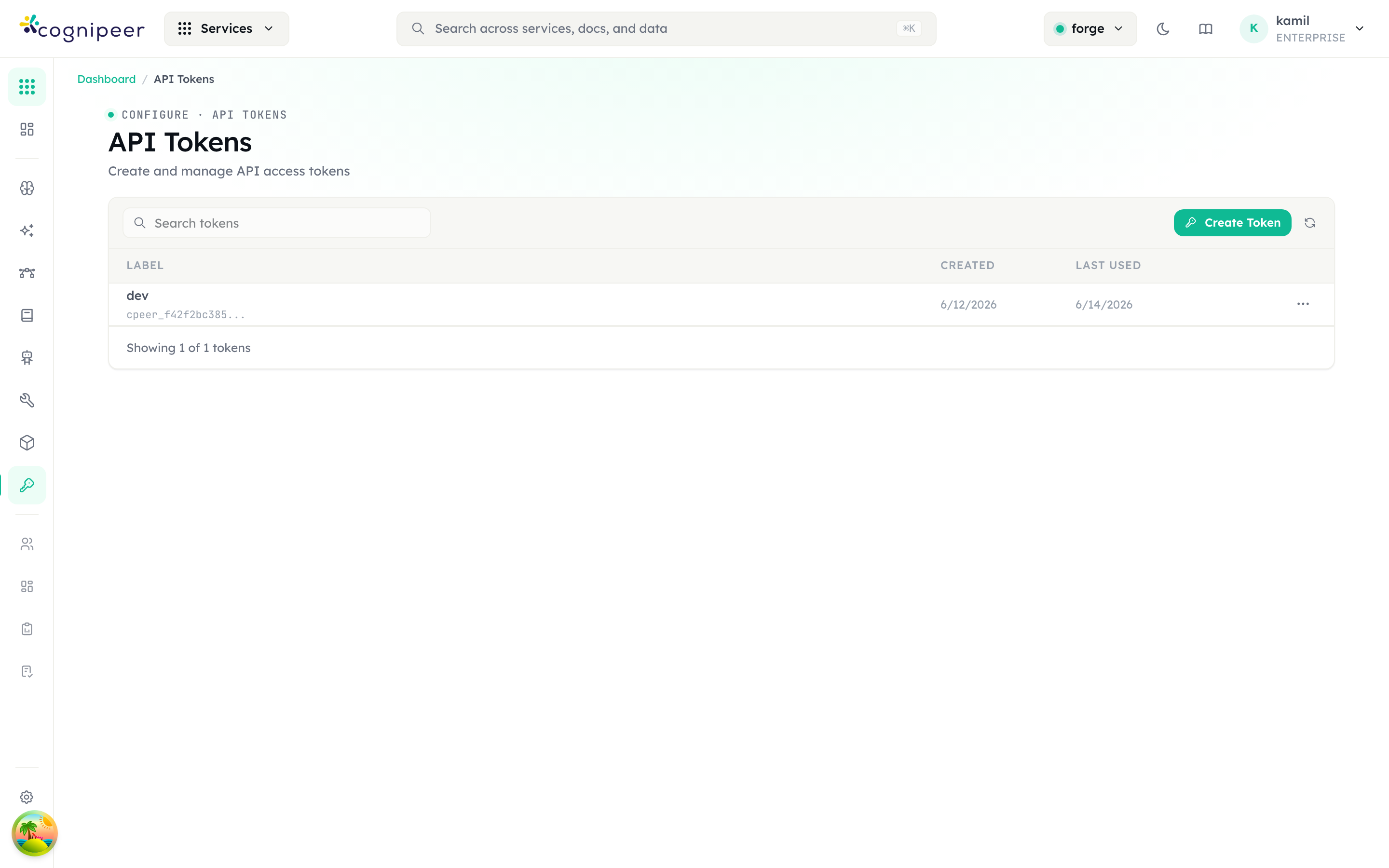
Tokens are managed under Configure → API Tokens (your own tokens) or Configure → Members → <user> (any user's tokens, including a Programmatic User's). Each row shows the label, creation date, and last-used timestamp; the full secret is shown only once at creation time:
Usage
curl -X POST https://gateway.example.com/api/client/v1/chat/completions \
  -H "Authorization: Bearer cpeer_abc123..." \
  -H "Content-Type: application/json" \
-d '{"model": "gpt-4", "messages": [{"role": "user", "content": "Hello"}]}'Provisioning a non-login identity from the API
The per-user token page has a Client API equivalent — two endpoints, both requiring an owner/admin-owned token:
POST /client/v1/users— creates a Programmatic User.canLoginis always forced tofalseserver-side, so this endpoint can never create a login-capable account no matter what the request body sends.POST /client/v1/users/:id/tokens— mints an API token for that user (or any user in the tenant) and returns the plaintext secret once.
# Create a login-disabled service account
curl -X POST https://gateway.example.com/api/client/v1/users \
  -H "Authorization: Bearer cpeer_admin_token..." \
  -H "Content-Type: application/json" \
  -d '{"name": "billing-sync-bot", "role": "user"}'

# Mint an API token for it (id from the response above)
curl -X POST https://gateway.example.com/api/client/v1/users/<user_id>/tokens \
  -H "Authorization: Bearer cpeer_admin_token..." \
  -H "Content-Type: application/json" \
-d '{"label": "billing-sync nightly job"}'See Users API for full request/response fields and error cases.
requireApiToken Helper
All client API routes use the requireApiToken helper:
import { requireApiToken, ApiTokenAuthError } from '@/lib/services/apiTokenAuth';

export async function POST(request: NextRequest) {
  try {
    const ctx = await requireApiToken(request);
    // ctx.token, ctx.tokenRecord, ctx.tenant
    // ctx.tenantId, ctx.tenantSlug, ctx.tenantDbName
    // ctx.projectId, ctx.user
  } catch (error) {
    if (error instanceof ApiTokenAuthError) {
      return NextResponse.json({ error: error.message }, { status: error.status });
    }
    throw error;
  }
}Token Validation Flow
- Extract Bearer token from
Authorizationheader - Check cache (SHA-256 hash key, 60s TTL)
- On cache miss: query database, resolve tenant
- Fire-and-forget: update
lastUsedtimestamp - Switch to tenant database
- Ensure default project exists
- Resolve user from token record
- Return
ApiTokenContext
Token Properties
| Field | Description |
|---|---|
token | The raw token string |
userId | Owning user |
tenantId | Owning tenant |
projectId | Scoped project (optional) |
expiresAt | Expiration date (optional) |
lastUsed | Last usage timestamp |
License-Based Feature Control
Features are controlled through a license system defined in src/config/policies.json:
import { LicenseManager } from '@/lib/license/license-manager';

const hasAccess = LicenseManager.hasFeature(licenseType, 'LLM_CHAT');
const canAccessEndpoint = LicenseManager.hasEndpointAccess(licenseType, '/api/models');License Tiers
| Tier | Features | Request Limit |
|---|---|---|
| FREE | 16 features | 1,000/month |
| STARTER | 10 features | 10,000/month |
| PROFESSIONAL | 14 features | 100,000/month |
| ENTERPRISE | All features | Unlimited |
| ON_PREMISE | All features | Unlimited |
Feature Endpoint Mapping
Each feature in policies.json maps to API endpoint patterns:
{
  "LLM_CHAT": {
    "name": "LLM Chat",
    "endpoints": ["/api/chat/*", "/api/client/v1/chat/*"]
  }
}The middleware checks these mappings automatically.
User Roles
| Role | Scope |
|---|---|
owner | Full tenant control |
admin | Manage users and settings |
project_admin | Manage assigned projects |
user | Access assigned projects only |
User Types (canLogin)
role and canLogin are independent axes on the same user record — role governs what a user can do once authenticated, canLogin governs whether it can authenticate as a dashboard session at all. A user of any role can be either type:
canLogin | Type | Meaning |
|---|---|---|
true (default — missing/undefined is treated as true for back-compat) | Regular member | Has a password, can log into the dashboard and hold a JWT session, in addition to owning API tokens. |
false | Programmatic User | No password, no dashboard session, email optional. Exists only to own API tokens — a service account, integration, or CI identity. Shown with a "No login" status badge and a "Programmatic" badge next to its role in Configure → Members. |
POST /client/v1/users (the Client API) can only ever create canLogin: false users — it forces the flag server-side regardless of the request body, so an API token can never provision a login-capable account. A human teammate must still be added from the dashboard, with a password, via Configure → Members → Add User (with the Send invite toggle left on).
Configuration
| Variable | Default | Description |
|---|---|---|
JWT_SECRET | — | Required. Secret for JWT signing |
JWT_EXPIRES_IN | 7d | JWT expiration duration |
PROVIDER_ENCRYPTION_SECRET | JWT_SECRET | Encryption key for stored credentials |