

Web Page
The Web Page Data Source in Cognipeer allows Peers to read and extract content from individual web pages provided by the user. This is useful for cases where specific, targeted information from web pages is required for tasks such as answering queries, summarizing content, or providing insights directly from the page.
How Web Page Reading Works
When a Web Page Data Source is added, the Peer can access and read the content of the specific web page. This functionality enables Peers to extract valuable information directly from the page, helping them respond more accurately and efficiently to user requests.
- Single Page Access: Peers can read only the web page specified by the URL without crawling additional links.
- Content Extraction: The Peer can fetch the main textual content from the web page and make it available for processing or answering user queries.
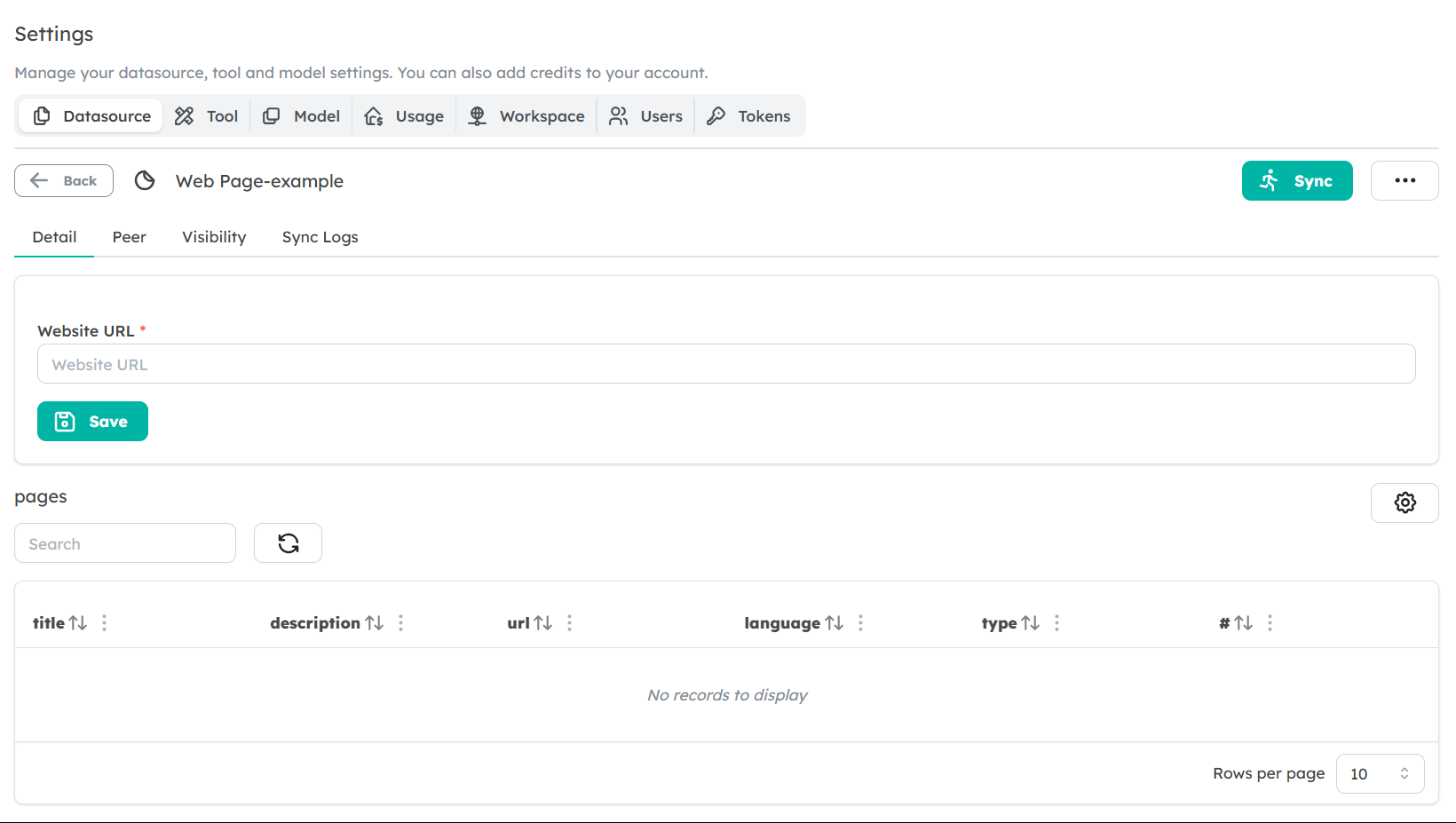
Setting Up a Web Page Data Source
To configure a Web Page Data Source for your Peer, follow these steps:
Navigate to the Data Sources Tab: In the Peer settings, go to the Data Sources section.
Select Web Page as Data Source Type: Choose Web Page from the available data source types.
Enter the Web Page URL: Provide the URL of the specific web page you want the Peer to read and analyze. The URL must start with
httporhttps.Save the Data Source: After entering the URL, save the data source. The Peer will now be able to read the content of the specified web page when it is referenced.
Data Usage and Extraction
Once the web page has been added, the Peer will be able to extract and use the content for various tasks such as answering questions, summarizing sections, or retrieving specific details from the page. This data is stored and indexed in the Peer’s knowledgebase, enabling fast retrieval and accurate responses.
Best Practices for Using Web Page Data Sources
- Target Specific Pages: When using a Web Page Data Source, ensure the URL provided points to the specific page with the information you need. This helps the Peer provide more focused and relevant responses.
- Regular Content Updates: Since web pages often update, consider re-adding or updating the data source periodically to ensure the Peer is working with the most current information.
Limitations
- Single Page Only: The Web Page Data Source reads only the content from the specified page. If you need to extract data from multiple pages or deeper links, consider using the Website Data Source instead.
- Unstructured Data: The Peer extracts the page content as is, so complex layouts or data structures on the web page may not be perfectly processed.
Next Steps
Now that you're familiar with Web Page Data Sources, start adding relevant pages for your Peers to use. By integrating specific web pages into the Peer’s knowledgebase, you can enhance the accuracy and relevance of its responses.