

Contract review and renewal tracking
The problem
Contracts are filed and then forgotten. The information inside them — notice periods, auto-renewal clauses, liability caps, price escalators — is only ever retrieved under pressure, by someone opening PDFs one at a time.
What it costs today:
- Auto-renewals nobody caught. A 30-day notice period on a contract signed two years ago by someone who has since left.
- Legal review as a bottleneck. Every question about "what did we agree with this supplier" goes to the one person who remembers.
- No portfolio view. Nobody can answer "which contracts renew this quarter, and what do they cost us" without a week of reading.
What good looks like
The contracts are read once, the terms that matter are extracted and stored, and the renewal calendar maintains itself. A human still decides anything that matters — but they decide it in front of a summary, not a PDF.
What you build
This one needs a machine, because reading a folder of PDFs is real file work.
Project "Contracts"
├── Secret   (hidden)  storage credentials
├── Sandbox  contract-reader
└── Memory   per-contract terms, project scope

Task ("Review the Q3 supplier contracts")
      │
      ▼
 [Wait Until Running]  sandbox
      │
      ▼
 [Sandbox: Run]  list /workspace/contracts
      │
      ▼
 [For Each file] ──▶ [Review Contract]  Smart Agent + sandbox tools
      │                 → structured output per contract
      │              ──▶ [Memory: Put]  key = contract id
      ▼
 [Build Tracker]  Smart Agent → xlsx in the sandbox
      │
      ▼
 [Publish File]  contracts-tracker.xlsx
      │
      ▼
[Finish]Pieces used: a Flow Project with a sandbox and secrets, Sandbox steps, a Smart Agent with sandbox tools, Flow Memory, Publish File.
Implementation
1. Give the project a machine
Create the project, then add a sandbox labelled contract-reader. A sandbox is a persistent Linux environment: it keeps its filesystem between runs, so the contracts you upload once are still there next month.
Put any credential it needs — object storage, a document system — in the project's Secrets as hidden secrets. Hidden means the value never enters the flow context and never reaches run logs; it exists only as an environment variable inside the sandbox. The agent learns the name STORAGE_TOKEN exists and can use $STORAGE_TOKEN in a command, without the value ever being visible to it or to you in a trace.
2. Make the flow wait for the machine
Starting a sandbox is asynchronous. Put a Sandbox: Wait Until Running step before the first command, or the first command arrives before the machine is up.
Then a Sandbox: Run step with operation list_files on /workspace/contracts gives you the list to iterate.
3. Review each contract with an agent that can read files
Add a Smart Agent inside an Each loop, with Add Sandbox Tools turned on and pointed at the sandbox.
Narrow the allowed operations. This agent needs read_file and list_files. It does not need delete:
| Operation | Enabled |
|---|---|
| Read File | yes |
| List Files | yes |
| Run Code | yes — for PDF text extraction |
| Write File | yes — for the tracker |
| Delete / Move | no |
Task prompt:
Read the contract at {{loop.item.path}}.

Extract exactly these facts. If a fact is not stated in the document, return
null for it — do not infer, and do not guess a date from context.Structured output schema:
{
  "type": "object",
  "properties": {
    "counterparty":   { "type": "string" },
    "effectiveDate":  { "type": "string" },
    "renewalDate":    { "type": "string" },
    "noticeDays":     { "type": "number" },
    "autoRenews":     { "type": "boolean" },
    "annualValue":    { "type": "number" },
    "currency":       { "type": "string" },
    "unusualTerms":   { "type": "string" }
  },
  "required": ["counterparty", "autoRenews"]
}The instruction to return null rather than infer is doing real work here. A model asked to find a renewal date will find one, whether or not the document contains it — and a fabricated renewal date is worse than a missing one, because it looks like an answer.
4. Remember what it found
Add a Memory: Put step inside the loop, at project scope, keyed by the contract identifier:
- Key:
{{review.data.counterparty}} - Value: the extracted terms as a compact string
Project-scope memory is shared by every flow in the project, which is what lets a second flow — the renewal digest below — read what this one learned without re-reading a single PDF.
5. Build the tracker
After the loop, a second Smart Agent with sandbox tools writes the spreadsheet: Python with the usual data tooling is available, so "produce an xlsx sorted by renewal date with anything inside 60 days flagged" is a real instruction, not a wish.
Then Publish File with source sandbox and the path it wrote, so the tracker lands on the task as a downloadable artefact.
6. Add the digest that makes it worth it
Create a second flow in the same project with a Schedule trigger — weekly.
It does not touch the PDFs at all. It reads project memory, filters for renewals inside the notice window, and produces a short list. That is the flow that actually prevents the auto-renewal nobody caught.
What happens at run time
The task starts, the sandbox wakes, and the agent works through the folder — reading each contract, extracting the terms, writing them to memory. Long runs stay legible because each iteration is a traced step with its own input and output.
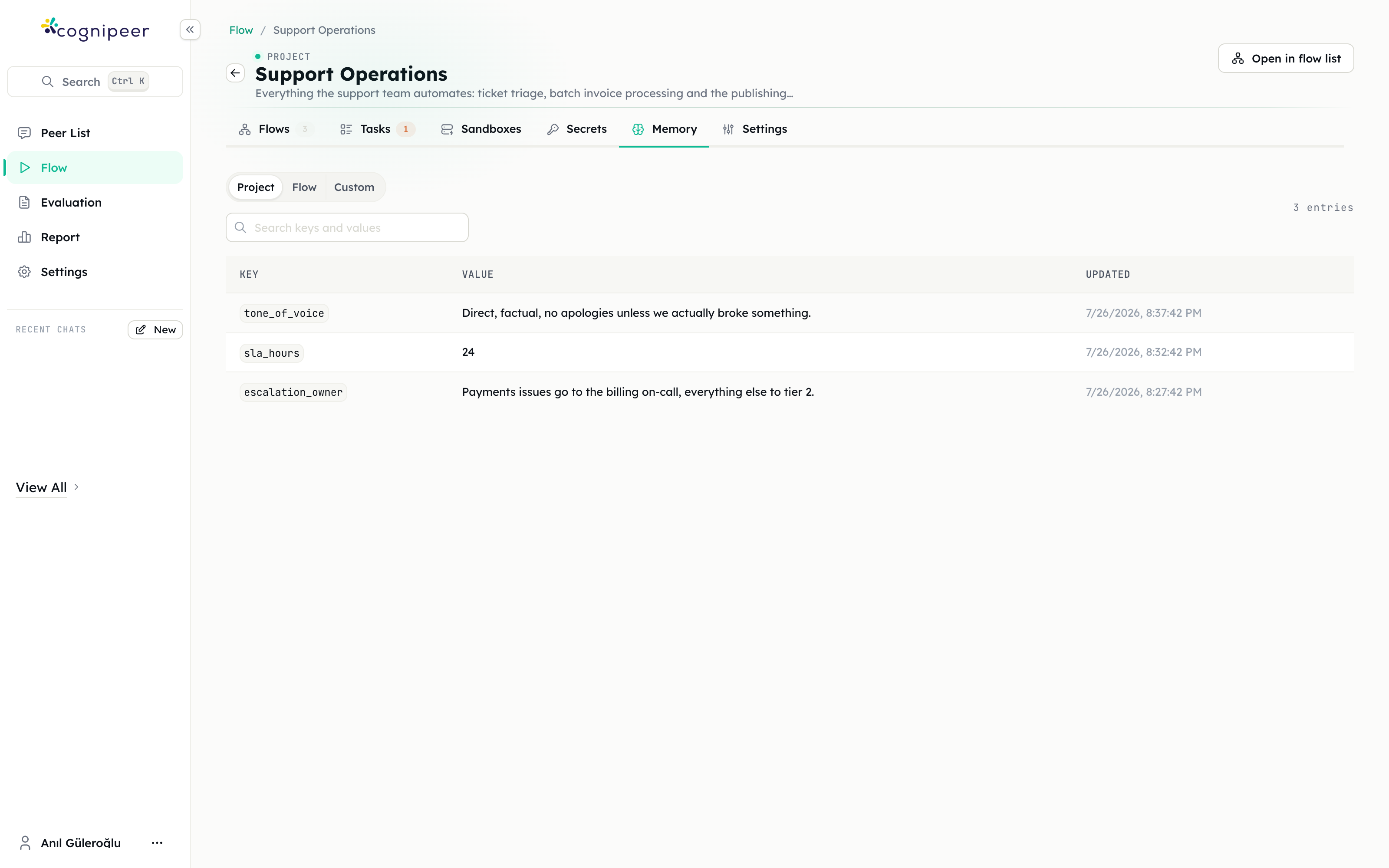
When it finishes, the task shows the tracker under Output files, and the project's Memory tab shows exactly what the agent decided to remember.
What you get
- A tracker you can hand to finance, rebuilt on demand rather than maintained by hand.
- Structured memory of every contract's key terms, readable by any other flow in the project.
- A weekly digest that surfaces renewals before the notice period closes.
- A traceable extraction — for any fact in the tracker, the run trace shows which document it came from and what the agent read.
Extensions
- Ask before it acts. If the digest flow should send the notice email, put a User Approval step in front of it. Nobody wants a bot terminating a supplier agreement.
- Answer questions over the portfolio. Point a Peer at the same contracts as a data source, so "what's our liability cap with Acme" is a question anyone can ask.
- Flag the unusual. Add a Condition on
review.data.unusualTermsand route anything non-empty to a human review task.
Pitfalls
Skipping the wait step. Commands sent to a sandbox that is still booting fail in a way that looks like a permissions problem.
Giving the agent delete. Sandbox tools default to all eight operations. On a machine holding the only copy of something, narrow the list.
Visible secrets in a document flow. A visible secret's value is written to run logs. For anything touching contracts, use hidden secrets and let the sandbox environment carry them.
Trusting extraction without nulls. Without an explicit "return null if not stated" instruction, missing terms come back invented and confident.
Related
- Sandboxes and the sandbox steps
- Flow Memory
- Security questionnaires and RFPs — the same document-reading shape, aimed at sales