

The weekly executive report
The problem
Monday morning. Three people open four systems, copy numbers into a deck, write a paragraph each, and argue about whose figure for "active accounts" is right.
What it costs today:
- Half a day a week, spread across people whose time is expensive.
- Numbers that disagree. Two definitions of the same metric, neither written down.
- The silent hole. One source is down, someone pastes last week's figure as a placeholder, and nobody remembers it was a placeholder.
What good looks like
The report exists on Monday morning. Nobody assembled it. When a source is unavailable the run fails visibly, with a trace showing exactly which call failed — instead of producing a confident document with a stale number in it.
What you build
Schedule trigger   0 6 * * 1        (Mondays, 06:00)
      │
      ▼
 [Fetch Revenue]    HTTP Request  ──┐
 [Fetch Pipeline]   HTTP Request  ──┤  each publishing its own output
 [Fetch Support]    HTTP Request  ──┤
 [Fetch Usage]      HTTP Request  ──┘
      │
      ▼
 [Check Freshness]  Node.js → fail fast if any source is stale or empty
      │
      ▼
 [Write Narrative]  Smart Agent → markdown, fed the numbers as templates
      │
      ▼
 [Markdown to PDF]
      │
      ▼
 [Publish File]  weekly-report.pdf
      │
      ▼
 [Track Event]  report_generated
      │
      ▼
[Finish]Pieces used: a Schedule trigger, HTTP Request steps, Execute Node.js, a Smart Agent, Markdown to PDF, Publish File, Track Event.
Implementation
1. Schedule it
Set the trigger to Schedule with a cron expression — 0 6 * * 1 for Mondays at six. Give it default inputs if the flow needs any (a reporting period, a region), so a manual run behaves the same as a scheduled one.
Note what a schedule trigger does not provide: there is no conversation, no chat client and no end user. If you add a step that needs one, the Issues panel will tell you before you find out on a Monday. See triggers and capabilities.
2. Pull the numbers
One HTTP Request step per source, each with its own output name — revenue, pipeline, support, usage.
Credentials come from the project's Secrets. If a step needs the value inside the flow — an API key in a header — that secret must be visible, and you should know that a visible secret's value is written to run logs. If the call can instead be made from a sandbox, use a hidden secret and keep it out of the trace entirely.
Give each request a realistic timeout. A reporting flow that hangs for ten minutes on a dead endpoint is worse than one that fails at thirty seconds.
3. Fail fast, on purpose
This is the step that separates a report you can trust from one you cannot. Add an Execute Node.js step that checks what came back:
module.exports = async function (context) {
  const checks = [
    ['revenue',  context.revenue?.data],
    ['pipeline', context.pipeline?.data],
    ['support',  context.support?.data],
    ['usage',    context.usage?.data]
  ];

  const missing = checks.filter(([, v]) => v == null || Object.keys(v).length === 0);
  if (missing.length) {
    throw new Error('Missing data from: ' + missing.map(([k]) => k).join(', '));
  }

  return { ok: true, sources: checks.length };
};Throwing here fails the run loudly. That is the desired behaviour: a missing report is a visible problem, a wrong report is an invisible one.
4. Write the narrative from the numbers
Add a Smart Agent. Feed it the fetched values through templates and be explicit about what it may not do:
Write this week's executive summary in Markdown.

Revenue:  {{revenue.response}}
Pipeline: {{pipeline.response}}
Support:  {{support.response}}
Usage:    {{usage.response}}

Rules:
- Use only the numbers given. Never estimate, extrapolate or fill a gap.
- Lead with what changed, not with what stayed the same.
- Three sections: Headline, What moved, What needs a decision.
- If a metric moved more than 15%, say so explicitly and say what it was
last week.Leave the agent's actions empty. It has everything it needs in the prompt, and an agent with no tools cannot wander off to look something up mid-report.
5. Produce the artefact and record the run
Markdown to PDF renders it, Publish File attaches it, and a Track Event step records report_generated with the period as a dimension — so the Reports tab shows at a glance whether the report has run every week or quietly stopped in March.
What happens at run time
At 06:00 the flow runs unattended. The Flow Runs tab shows it alongside every previous week, and the run trace holds the raw response of every source — which is what you open when someone disputes a figure.
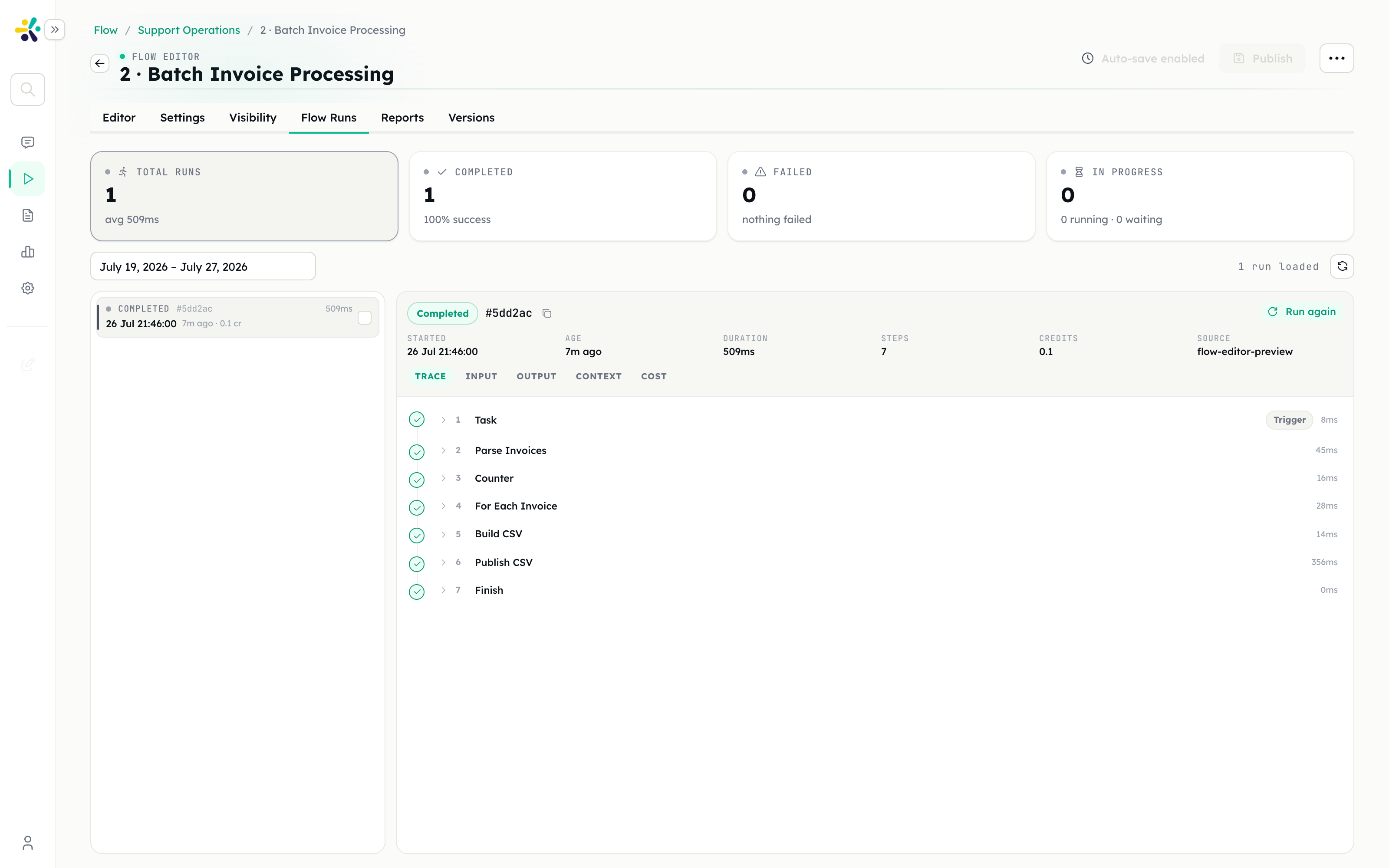
If a source was down, the run is failed, visibly, with the failing step named. Nobody publishes a report with a hole in it.
What you get
- The report, on time, without three people's Monday.
- A durable record of the exact inputs behind each week's numbers.
- Comparability. Two runs can be compared side by side, which is the fastest way to answer "why is this week's number different".
Extensions
Deliver it, don't just produce it. Add a tool action to post the PDF to Slack or email it. If it goes to an external audience, put a User Approval step in front so a human signs off before it leaves.
Split fetching from reporting. Move the four HTTP calls into their own flow and call it with a Subflow step, so the monthly report reuses exactly the same fetch logic.
Add the commentary loop. Give the agent Flow Memory at project scope so it knows what it said last week and can write "still elevated" instead of re-explaining from scratch.
Chart it. Give the agent a sandbox and let it produce real charts with the preinstalled data tooling, rather than describing the trend in words.
Pitfalls
No freshness check. Without it, an empty API response becomes a confident sentence about a metric being flat.
Letting the agent estimate. Models fill gaps by default. The prompt has to forbid it, and the freshness check has to make it unnecessary.
Scheduling an untested draft. Triggered runs use the published version; the Debug panel runs the draft. Publish before you rely on the schedule.
Time zones. Confirm which zone the cron expression is evaluated in before promising a 6am report.
Related
- Triggers
- Runs and Reports
- Invoice processing — the same output pipeline, different input