

Step: Each
- Key:
each - Category: Workflow Control
- Description: Iterate over an array and execute nested steps for every processed item.
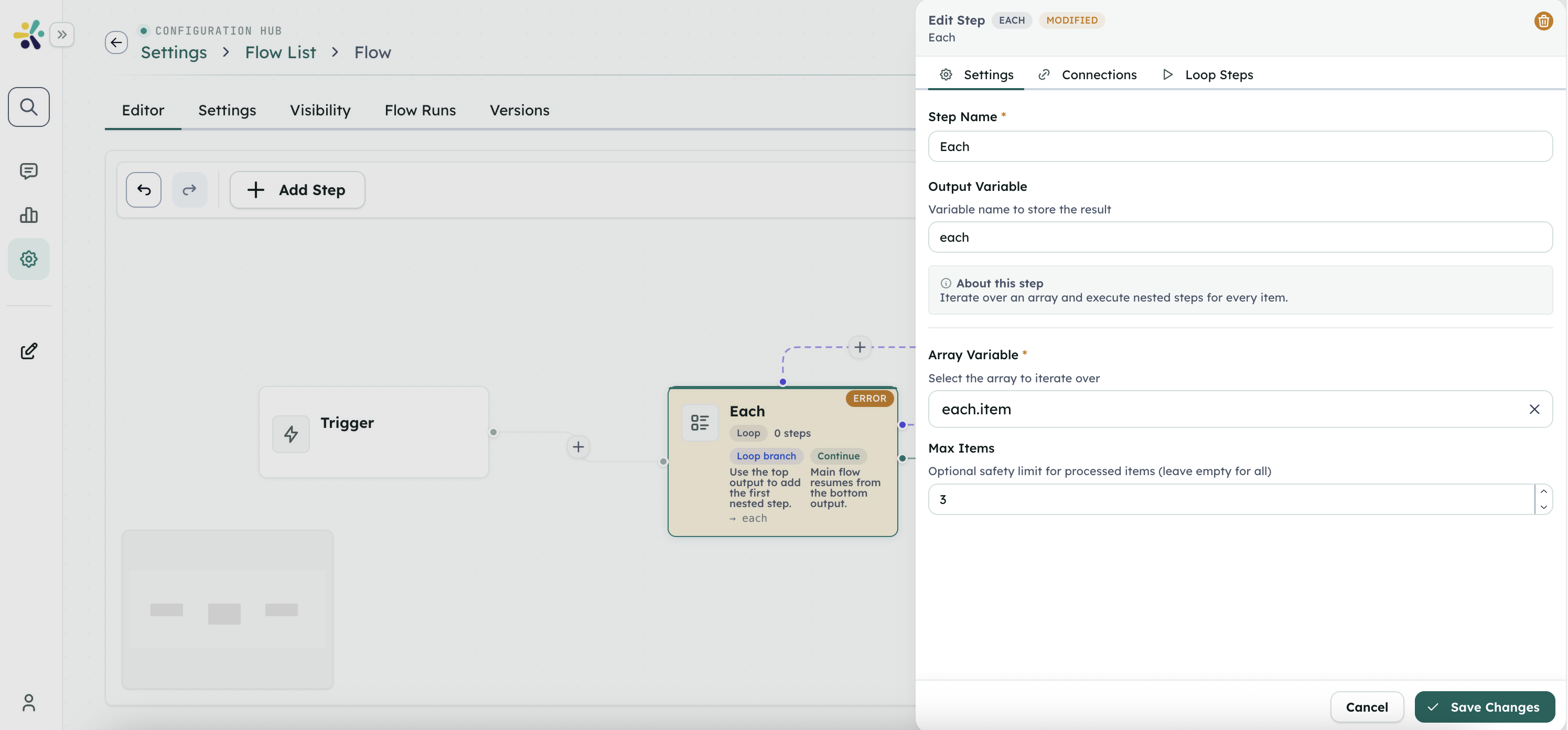
Inputs
arrayVariable(select, required): Context key or dot-path containing the array to process, for exampleordersorsearchResults.items.maxItems(number, optional): Safety limit for the number of items to process. Leave empty to process the whole array.
Loop Context
During each iteration, nested steps can read these context values:
item: Current array item.index: Zero-based iteration index._each: Object containingitem,index,total,isFirst, andisLast.
The runtime restores any previous item, index, and _each values after the loop finishes.
Outputs
item(array): Items that were processed.items(array): Alias ofitem.results(array): Per-iteration records containingindex,item, nested step outputs, and any iteration error.errors(array): Errors captured while processing items.successfulItems(number): Number of iterations completed without error.failedItems(number): Number of failed iterations.totalItems(number): Original source array length.processedItems(number): Number of iterations actually processed.
Notes
- The source value must be an array. If it is a JSON string, the runtime tries to parse it as an array.
- If a nested step fails, the loop records the error and stops processing further items.
- Use
maxItemswhen a loop calls expensive steps such as LLMs, HTTP requests, or tool actions.
Example
Given orders in the flow context:
- Set
arrayVariabletoorders. - Add nested steps that read
{ {item.customerName} }and{ {index} }. - Read the loop summary from the step output, for example
orderLoop.results.