

User Approval Step
The User Approval step pauses a Flow until a person approves or rejects the next action.
What this is
Use this step when a Flow should not continue without human confirmation. It is especially useful before sending messages, updating records, calling external tools, or completing sensitive work.
When to use it
Use User Approval when:
- A person must confirm an action before it happens.
- The Flow needs a clear approve or reject branch.
- A team wants an audit-friendly checkpoint.
- The action affects a customer, shared record, or external system.
Before you start
Make sure:
- The approval message explains exactly what will happen next.
- The approver has enough context to decide.
- The reject path is connected when rejection should stop or change the workflow.
- The Flow has been tested in the same chat or run experience users will see.
Configure the step
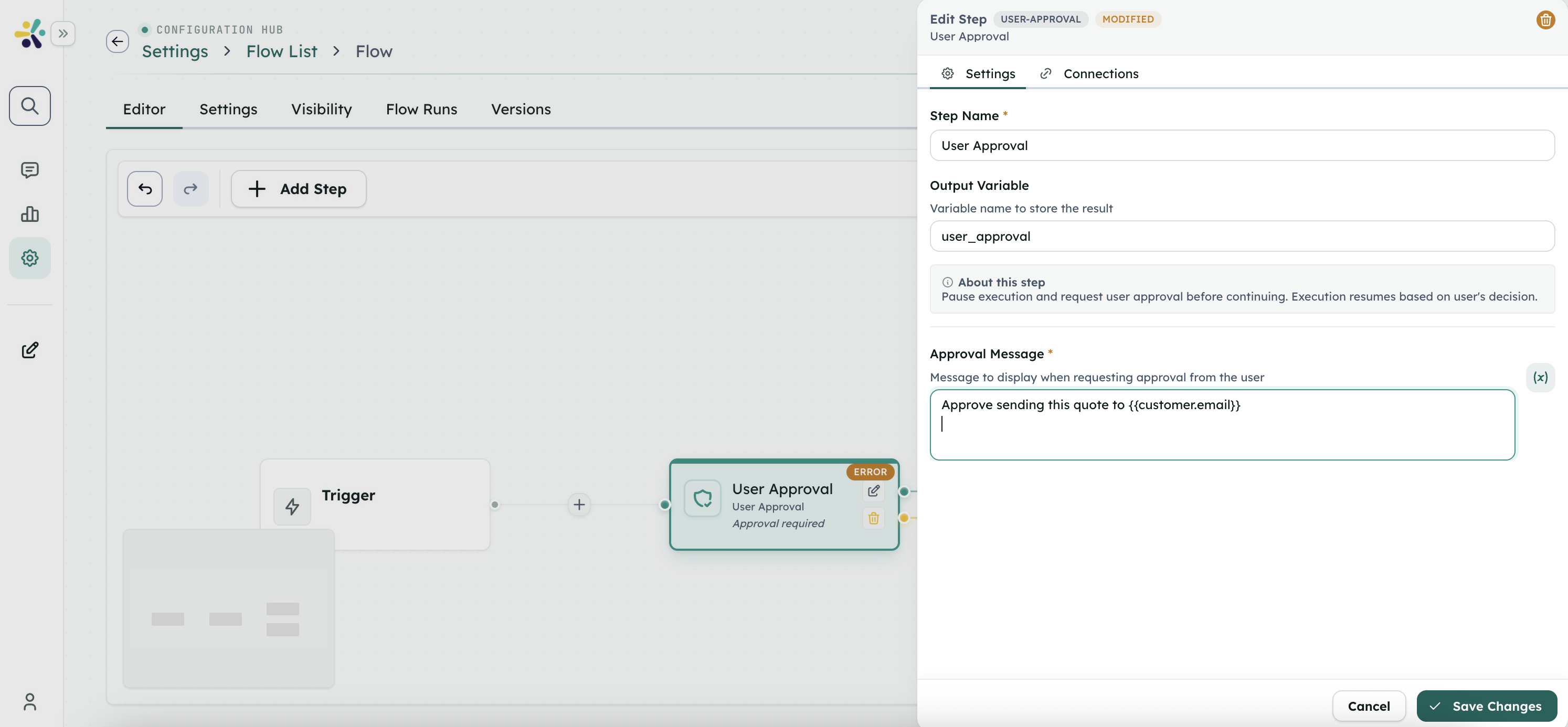
- Add a User Approval step to the Flow.
- Write a clear approval message.
- Include relevant values from earlier steps when helpful.
- Connect the approval path to the next action.
- Connect the rejection path if the Flow should do something different after rejection.
- Test both approve and reject decisions.
Use outputs in later steps
Later steps can use the approval decision to summarize what happened, branch the Flow, or record the outcome.
Review or test the result
Check that:
- The approval prompt appears at the right time.
- The approver understands the decision.
- Approve continues to the intended next step.
- Reject follows the intended path.
- The Final step explains the outcome.
Troubleshooting
The Flow waits longer than expected
Confirm the correct person or channel received the approval prompt.
Reject still continues the main action
Review the rejection path and connect it to a safe fallback or Final step.
The approval message is unclear
Add the key business details the approver needs, such as customer, amount, action, or deadline.