

Flow Triggers
Triggers define how a Flow starts. A trigger can start a Flow from a Peer conversation, form, schedule, webhook-enabled tool, or approved external experience.
What this is
A trigger is the entry point for a Flow. It decides what starts the workflow and what initial information is available to the first steps.
For API trigger setup, endpoint behavior, request formats, or custom integration details, use the Developer Hub.
When to use each trigger
| Trigger type | Use it when |
|---|---|
| Peer message | A Peer should start the Flow during a conversation. |
| Peer action | A Peer should offer the Flow as a specific action. |
| Form | Users should provide structured inputs before the Flow runs. |
| Schedule | The Flow should run automatically at a regular time. |
| Webhook-enabled tool | A connected tool should start the Flow when an event happens. |
| External integration | A technical implementer will connect another system to the Flow. |
Before you start
Make sure:
- You know who or what should start the Flow.
- The first step can handle the information the trigger provides.
- Required inputs are clearly named.
- Approval steps are added before sensitive actions.
- The Flow has a clear Final step for successful and failed paths.
Configure a trigger
- Open the Flow in Studio.
- Add or select the trigger step.
- Choose the trigger type.
- Define any input fields users or systems must provide.
- Connect the trigger to the first processing step.
- Save the Flow.
- Test the trigger from the same place users will start it.
Schedule a Flow
Use schedules for recurring work such as reminders, daily checks, weekly reports, or routine summaries.
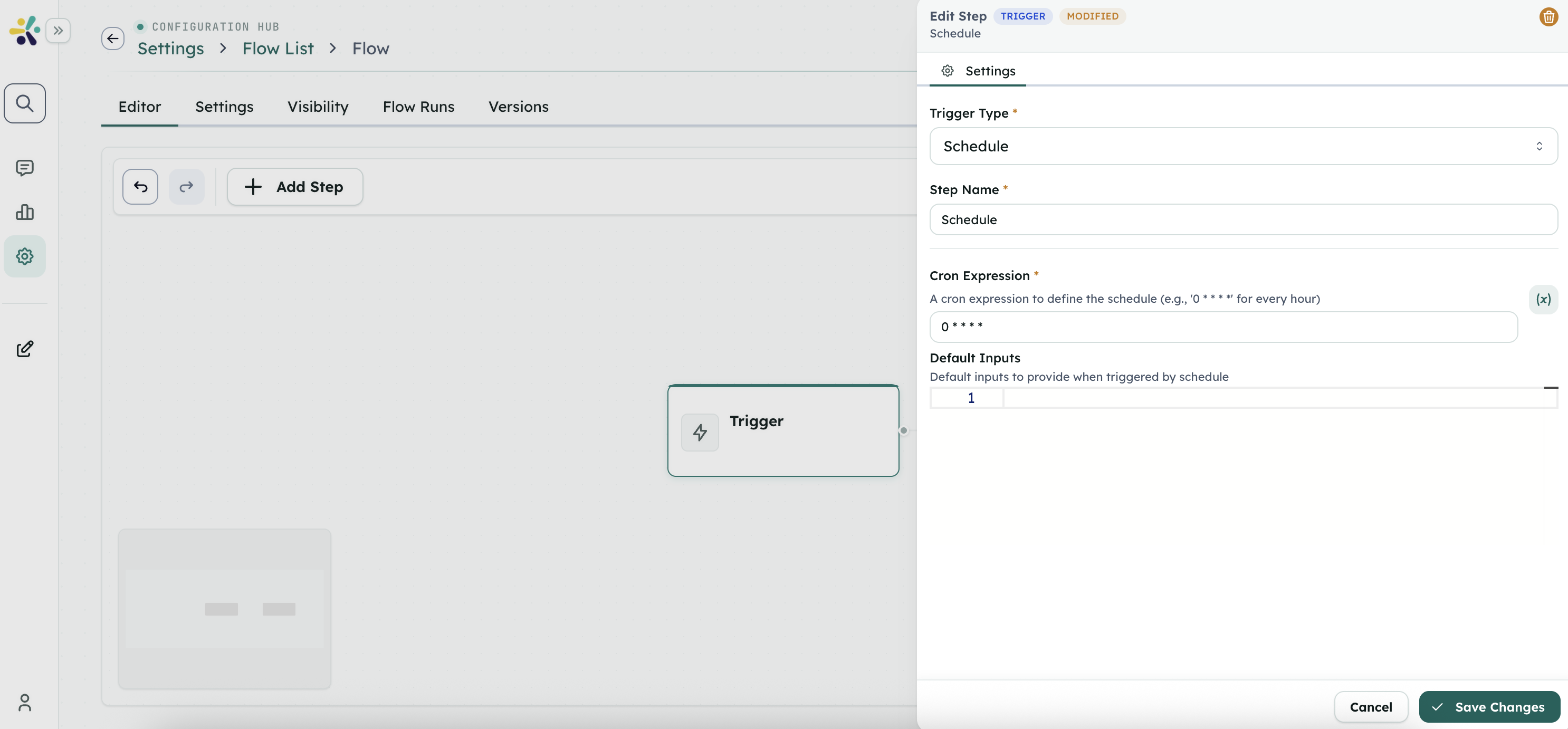
When configuring a schedule:
- Choose a time zone.
- Provide default inputs if the Flow needs them.
- Avoid scheduling drafts that have not been tested.
- Review the first scheduled run.
Use webhook-enabled tools
Some connected tools can start a Flow when an event happens in that tool. Configure these from the tool or Flow trigger settings, then test with a safe event before relying on it for production work.
Use the HTTP Request step when the Flow needs to send information out to another system after it starts.
Review or test the result
Check that:
- The Flow starts only when expected.
- Required inputs are present.
- The next step receives useful information.
- Scheduled runs use the correct time and defaults.
- Webhook-triggered runs are easy to identify in run history.
Troubleshooting
The Flow does not start
Confirm the trigger is connected, the Flow is saved, and the starting event actually happened.
Inputs are missing
Review the trigger fields and test with realistic values. If a Peer starts the Flow, check that the Peer collects the required information before invoking it.
A schedule runs at the wrong time
Check the schedule time zone and recurrence settings.
A connected tool does not start the Flow
Review the tool connection, permissions, and trigger setup. Ask your workspace admin to confirm the tool is still connected.
For technical implementation
Use the Developer Hub for API triggers, custom event sources, endpoint details, authentication, request formats, response formats, and integration testing.