

User Approval in Flows
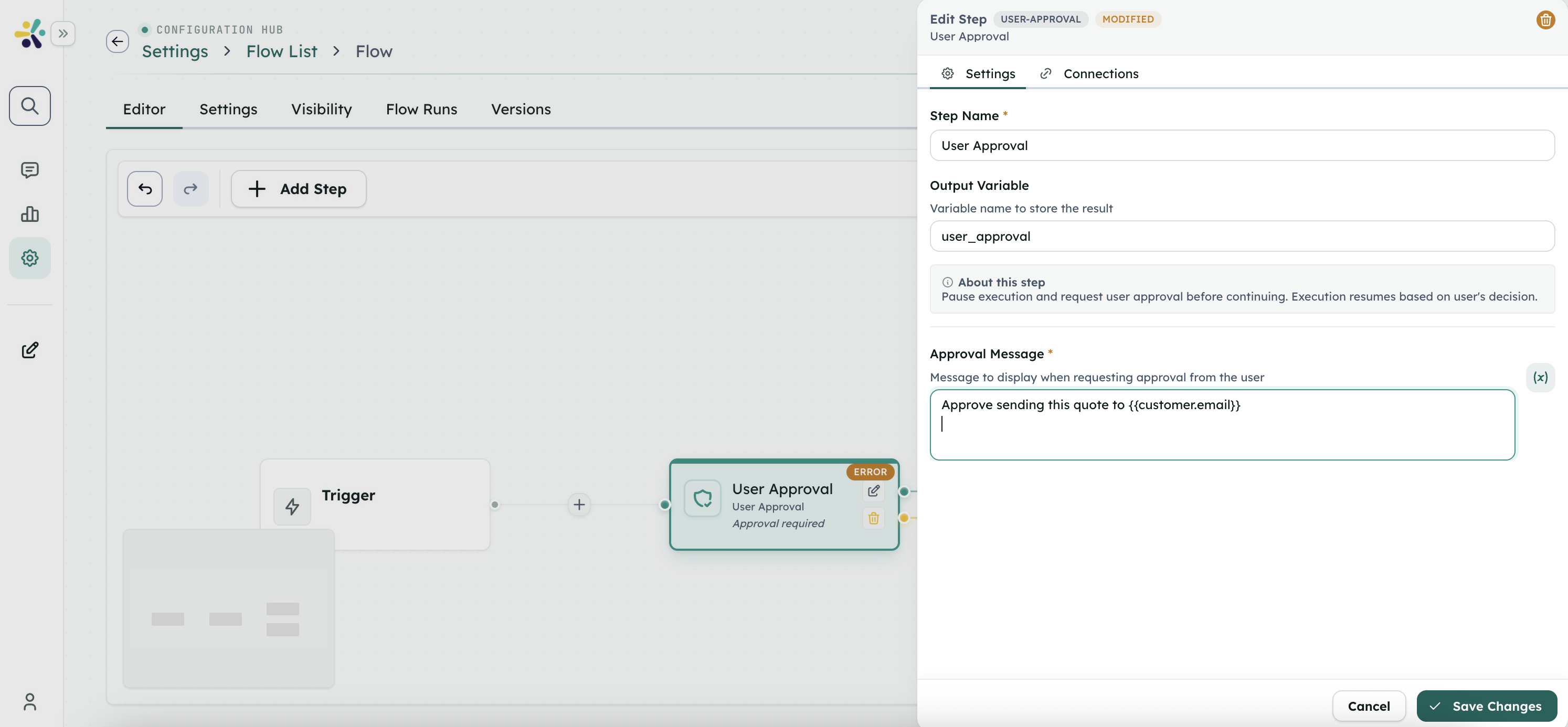
User Approval lets a Flow pause before a sensitive action and wait for a human decision. It is useful for human-in-the-loop workflows where automation should not continue until someone approves or rejects the next step.
How It Works
When a Flow reaches a user-approval step:
- The approval message is rendered with the current Flow context.
- The current execution context and next-step state are saved.
- The run moves to a waiting state and returns approval metadata, including
appRunId. - The user chooses approve or reject.
- The Flow resumes with an
approvalobject in context and follows the correct branch.
Step Configuration
{
  "type": "user-approval",
  "name": "Confirm Action",
  "data": {
    "message": "Approve sending this quote to { {customer.email} }?"
  },
  "nextStepId": "send-email",
  "rejectNextStepId": "cancelled"
}In the Flow editor, type template braces without spaces.
Branching
- Approve follows the step's normal
nextStepId. - Reject follows
rejectNextStepIdwhen one is configured. - If no reject branch exists, rejection falls back to
nextStepId.
After resume, downstream steps can read:
{ {approval.decision} }
{ {approval.decidedAt} }
{ {approval.decidedBy} }
{ {approval.message} }When to Use
Use User Approval before actions such as:
- Sending external emails or messages.
- Publishing content.
- Running costly or irreversible tool actions.
- Submitting payments, refunds, or account changes.
- Continuing a compliance-sensitive workflow.
User Experience
In a Peer conversation, the approval appears as a pending action on the assistant message. The user chooses approve or reject, then the same message is updated with the resumed Flow result.
Example Flow:
Trigger: peer.message
  -> Prepare quote
  -> User Approval: "Send quote for { {quote.total} }?"
     Approve -> Send email -> Final: "Quote sent"
Reject -> Final: "Quote was not sent"External Integrations
Most approvals are handled directly in the Studio or Peer conversation UI. If your team needs to resume approvals from a custom application, use the Developer Hub for API and SDK details.
Best Practices
- Put the approval immediately before the action it protects.
- Write concise messages that include the concrete consequence.
- Always test both approve and reject branches.
- Add a reject branch when cancellation needs a specific response or cleanup step.
- Return a clear Final step message after the Flow resumes.