

Templating & Variables
Flows use a powerful templating engine to reference inputs, step results, and helper functions.
Note: In the UI, this may appear as an expression editor. In the examples below, braces are spaced as { {value} } so the documentation renderer does not evaluate them. In the Flow editor, type them without spaces.
Context Sources
When referencing values in your Flow, you can access variables from several sources:
- Inputs: Values provided when starting the Flow (from a schedule, form, or channel trigger). For example, if you have a text input named
searchQuery, you reference it as{ {searchQuery} }. - Step Results: Every step can save its result to a variable name you define in its settings. For example, if an AI step's output variable is named
summary, you can reference the text response as{ {summary.response} }. - Trigger Details: Information about the trigger that started the Flow, such as the trigger type or initial data (e.g.,
{ {_trigger.data} }). - Flow and Step Details: Status metadata, such as the current step name or run ID, which can be useful for debugging or notifications.
- Approvals: Information about a completed approval step, such as whether it was approved or rejected (e.g.,
{ {approval.decision} }), when it happened, and who decided.
Helpers
Simple formatting helper values are available for common tasks:
- Date/Time: Reference the current date and time of the run using
{ {currentDate} }. - Active User: Reference details of the user running the Flow, such as their name or email address (e.g.,
{ {currentUser.name} }).
Loop Steps
When using repeating steps (loops), special helper variables are available while the loop is running:
- For Each loops: Use
{ {item} }to refer to the current item being processed in the list, and{ {index} }to refer to its position. - While loops: Use
{ {iteration} }to refer to the current run number.
Examples
Message with dynamic variables
Use variables directly inside your AI prompts or final messages:
Summarize the following results for { {searchQuery} } in a { {summaryLength} } tone:

{ {searchResults.results} }Final outputs
In a Final step, map a custom output name to the result of a previous step:
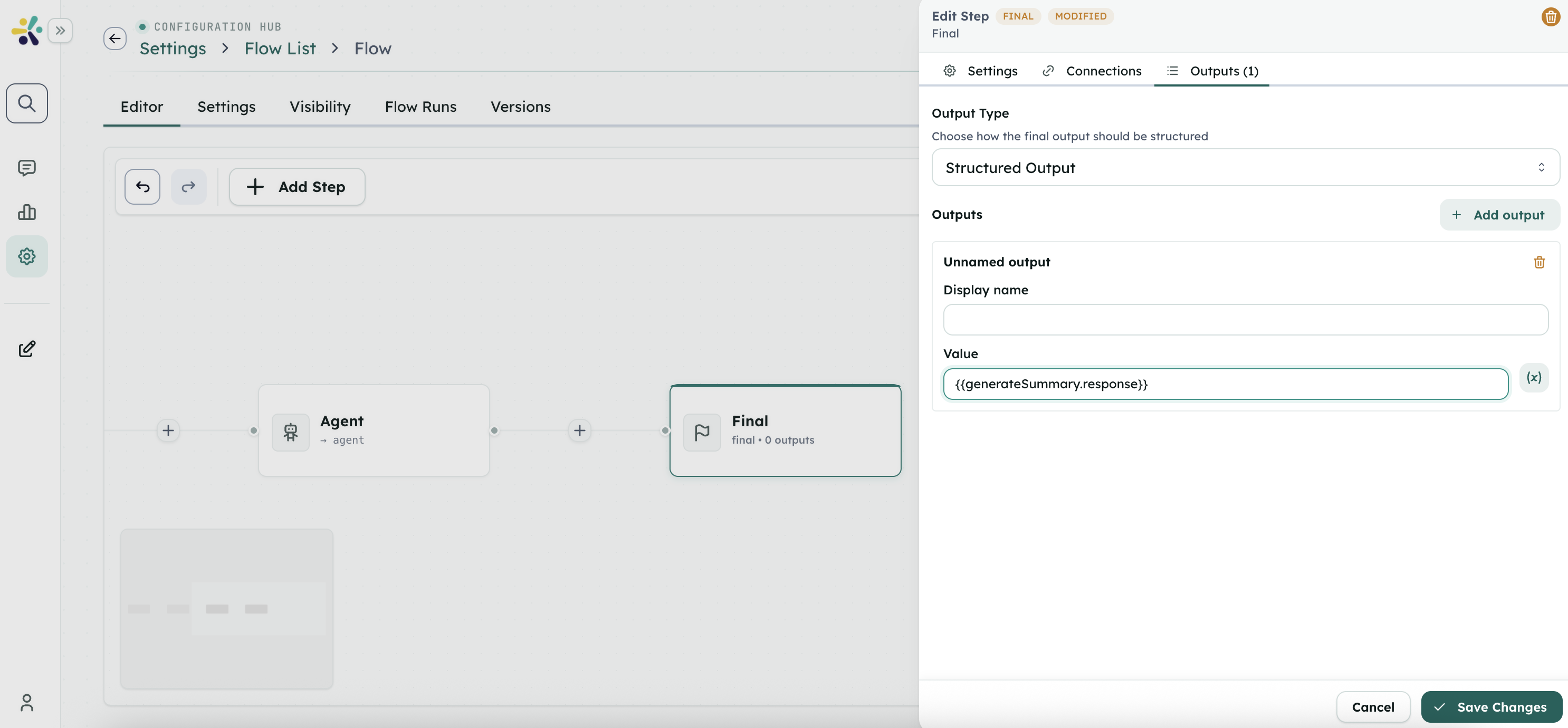
- Output Name:
summary - Value:
{ {generateSummary.response} }
User approval branch
Reference the outcome of a User Approval step in subsequent steps:
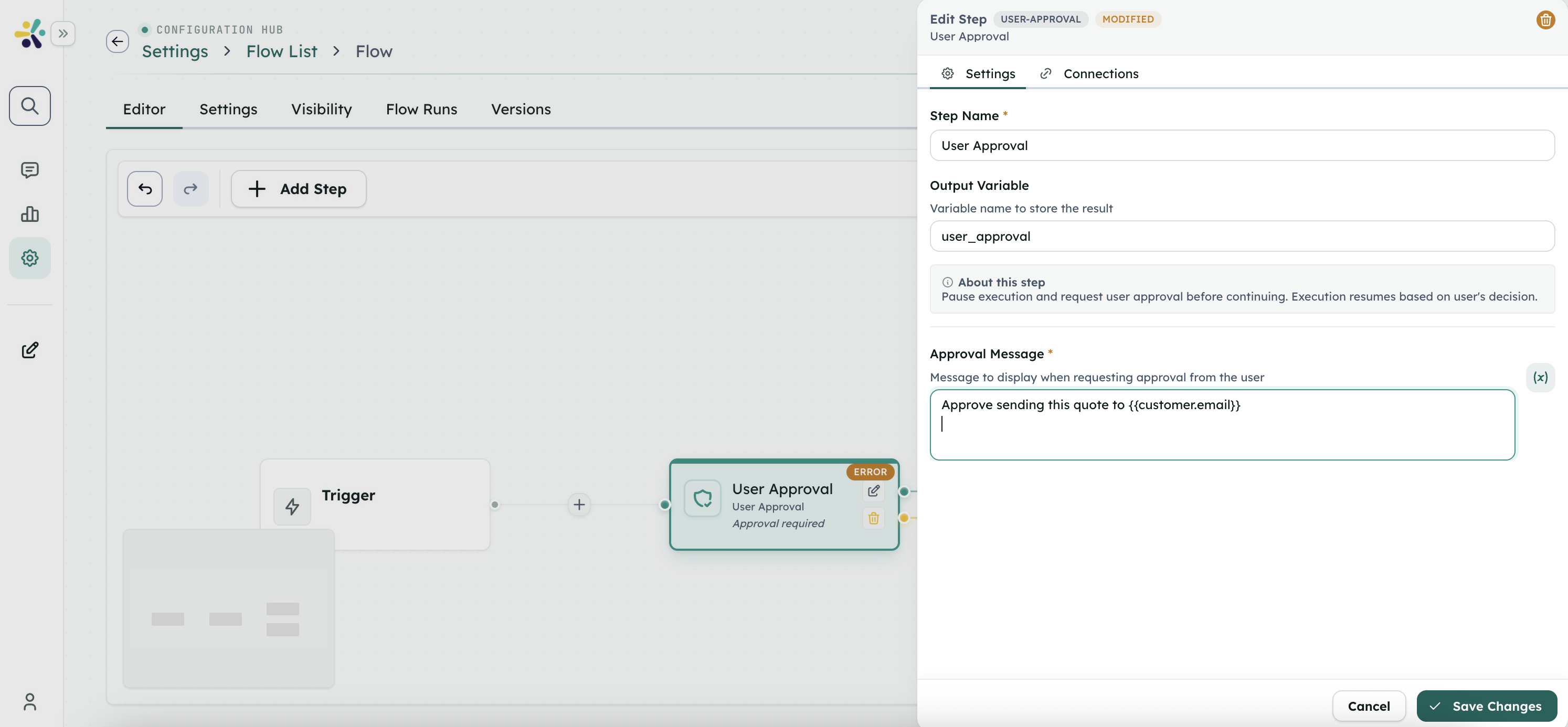
Decision: { {approval.decision} }
Decided by: { {approval.decidedBy} }Tips
- Give every important step a clear
outputvariable name. That output name is what downstream steps reference. - When including JSON in text fields, wrap with
{ {str(...)} }to avoid syntax errors. - HTML entities are decoded automatically before step execution.
- Trigger, input, and step output names share one context. Avoid reusing the same name for unrelated values.