

Website
The Website Data Source in Cognipeer enables Peers to crawl and extract content from a specified website based on the provided URL. This type of data source is particularly useful for gathering real-time information, allowing your Peers to analyze and utilize web content for answering queries, providing insights, or summarizing key points.
How Website Crawling Works
When configuring a Website Data Source, you have the option to specify how many levels (or depth) the Peer should crawl beyond the initial URL. This allows you to control the scope of the content retrieved from the website.
- Crawl Depth: The depth setting controls how many layers of links on the website are crawled.
- Depth 1: Crawls only the main page (the provided URL).
- Depth 2: Crawls the main page and all direct links on that page.
- Depth 3: Crawls the main page, direct links, and the links found on those linked pages. This is the maximum depth allowed.
Setting Up a Website Data Source
To integrate a Website Data Source for your Peer, follow these steps:
Navigate to the Data Sources Tab: In your Peer’s settings, go to the Data Sources section.
Select Website as Data Source Type: Choose Website from the list of available data source types.
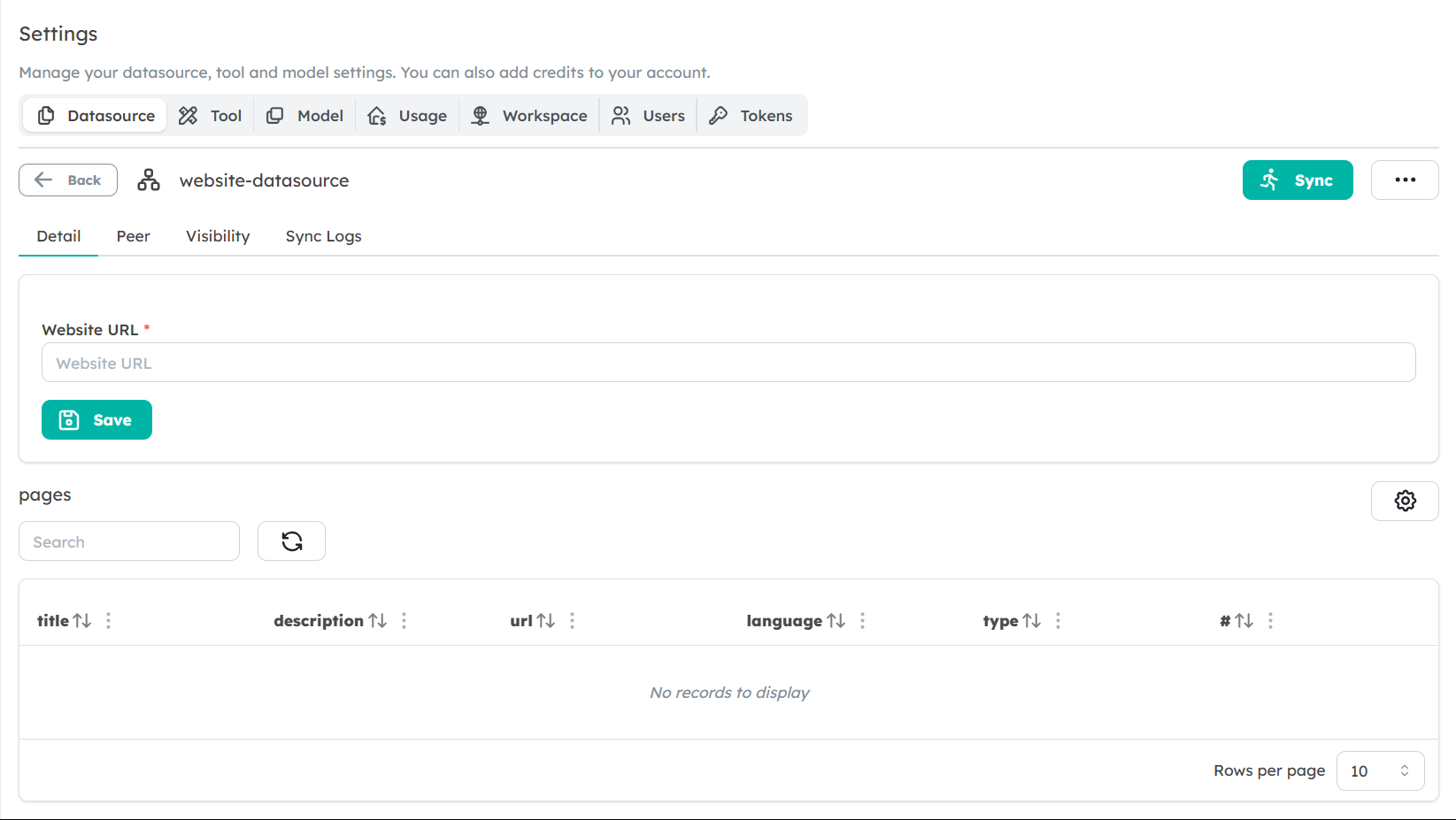
Enter the Website URL: Provide the URL of the website or page you wish to crawl. Ensure the URL starts with
httporhttps.Select Crawl Depth: Choose the desired crawl depth (1, 2, or 3) to control how many levels of pages will be crawled.
- Note: A deeper crawl (e.g., depth 3) can retrieve more comprehensive information but may take longer to process.
Save the Data Source: After entering the URL and setting the crawl depth, save the data source. The Peer will now crawl the specified website based on the chosen depth, gathering and storing the content for future use.
Data Extraction and Usage
Once the website has been crawled, the Peer can access and use the retrieved content to answer questions, summarize sections, or fetch specific information. The crawled data is stored in the Peer’s knowledgebase, enabling fast and accurate responses based on the most relevant website content.
Best Practices for Using Website Data Sources
- Limit Crawl Depth: If you only need information from the main page or direct links, avoid setting a higher depth. Crawling beyond what’s necessary can introduce irrelevant content and increase processing time.
- Choose Reliable Websites: Ensure that the websites you connect are reliable sources of information, as the Peer will use this content to form responses.
- Re-crawl for Updates: Websites frequently update their content. Consider scheduling periodic re-crawls to keep the Peer’s knowledgebase current and accurate.
Limitations
- Maximum Depth: The maximum crawl depth allowed is 3. For deeper information, you might need to manually add specific URLs.
- Unstructured Data: Crawling does not guarantee structured data extraction. The content will be processed as it appears on the website, which may require additional processing if the website has a complex structure.
Next Steps
Now that you understand how to set up and use Website Data Sources, start integrating web-based content into your Peers’ knowledgebase to improve their responses. Explore how you can combine website data with other sources for more enriched and insightful Peer responses.