

YouTube
The YouTube Data Source in Cognipeer allows Peers to access and learn from YouTube videos by extracting their transcription (captions). This data source is particularly useful for leveraging the vast amount of educational, instructional, or informational content available on YouTube. The Peer reads and processes the transcriptions to enhance its knowledge base, which allows it to respond to queries related to the video content.
How YouTube Integration Works
When a YouTube video link is added as a Data Source, the Peer will extract the video’s transcription (if available) and use this information to learn from the video. The extracted content is then processed and indexed in the Peer’s knowledgebase, enabling it to provide relevant responses based on the information in the video.
- Transcription Extraction: Peers extract captions or subtitles (if available) from YouTube videos.
- Knowledge Enhancement: The transcription is stored and indexed, allowing Peers to answer questions or provide insights based on the video's content.
Setting Up a YouTube Data Source
To add a YouTube video as a Data Source, follow these steps:
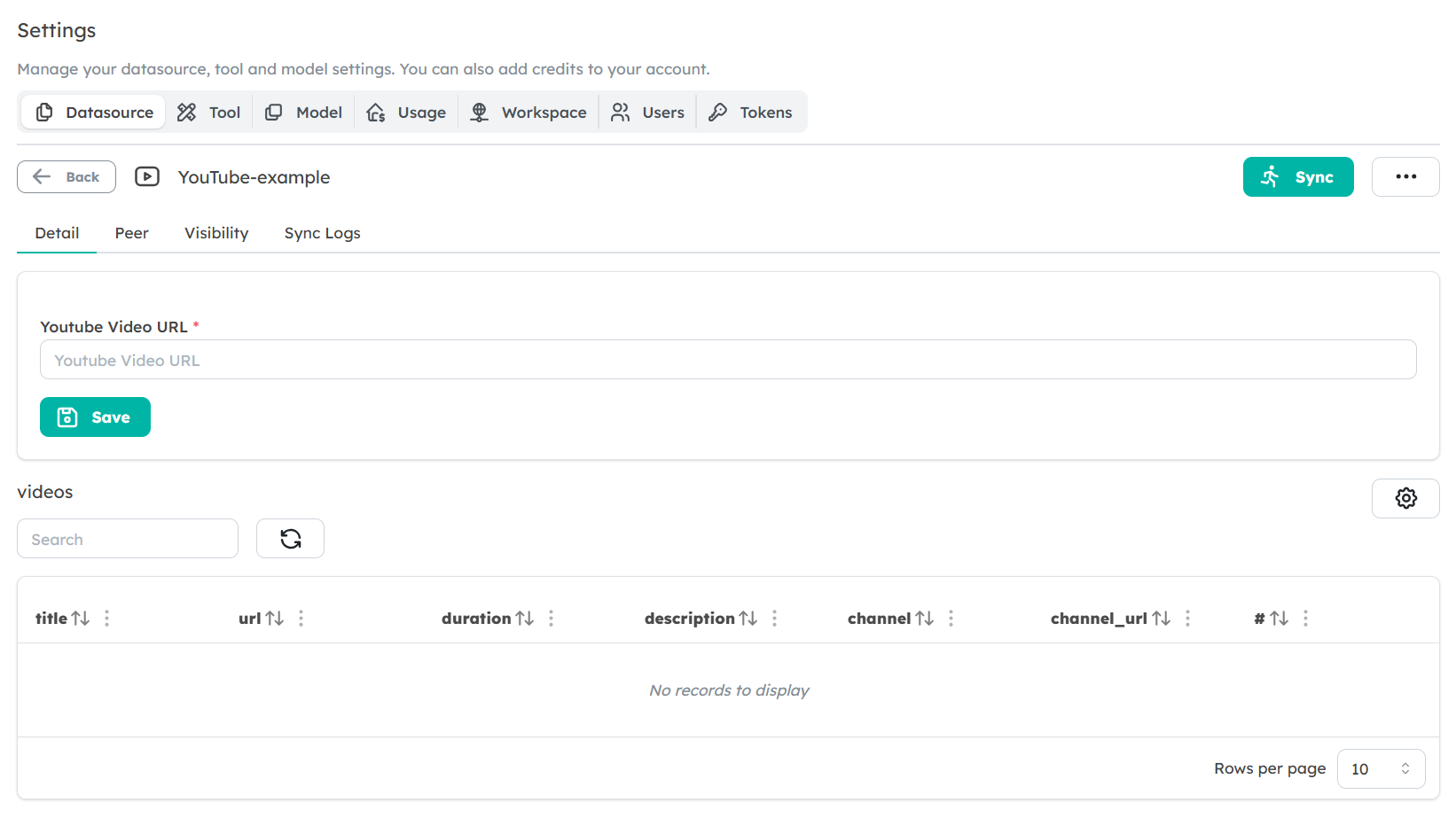
Navigate to the Data Sources Tab: In the Peer’s settings, go to the Data Sources section.
Select YouTube as Data Source Type: Choose YouTube from the available data source types.
Enter the YouTube Video URL: Provide the URL of the specific YouTube video you want the Peer to learn from. Ensure the video has captions available for transcription.
Save the Data Source: After adding the video URL, save the data source. The Peer will now be able to extract and learn from the transcription of the video.
Data Usage and Learning Process
Once the YouTube video is added as a Data Source, the Peer will:
- Extract the transcription from the video.
- Use the transcription to update its knowledgebase.
- Answer queries based on the content of the transcription.
The data extracted from the video is stored in the Peer’s knowledgebase, allowing it to provide fast and accurate responses to relevant queries.
Best Practices for Using YouTube Data Sources
- Ensure Transcriptions Are Available: For the Peer to extract data from a YouTube video, captions or subtitles must be available. Without these, the Peer cannot process the video's content.
- Select Relevant Videos: Choose videos that are rich in relevant information for your Peer’s intended use. The more precise and detailed the video content, the more valuable the responses will be.
Limitations
- No Video Content Analysis: The Peer can only process the textual transcription of the video, not the audio or visual elements.
- Dependent on Caption Availability: The Peer can only extract content from videos that have captions or subtitles available.
Next Steps
Now that you understand how to set up a YouTube Data Source, start adding relevant videos to help your Peers learn from rich media content. By integrating YouTube videos into your Peer’s knowledgebase, you can provide deeper, context-aware responses based on the information presented in the videos.