

Introduction to SmartContent & Canvas
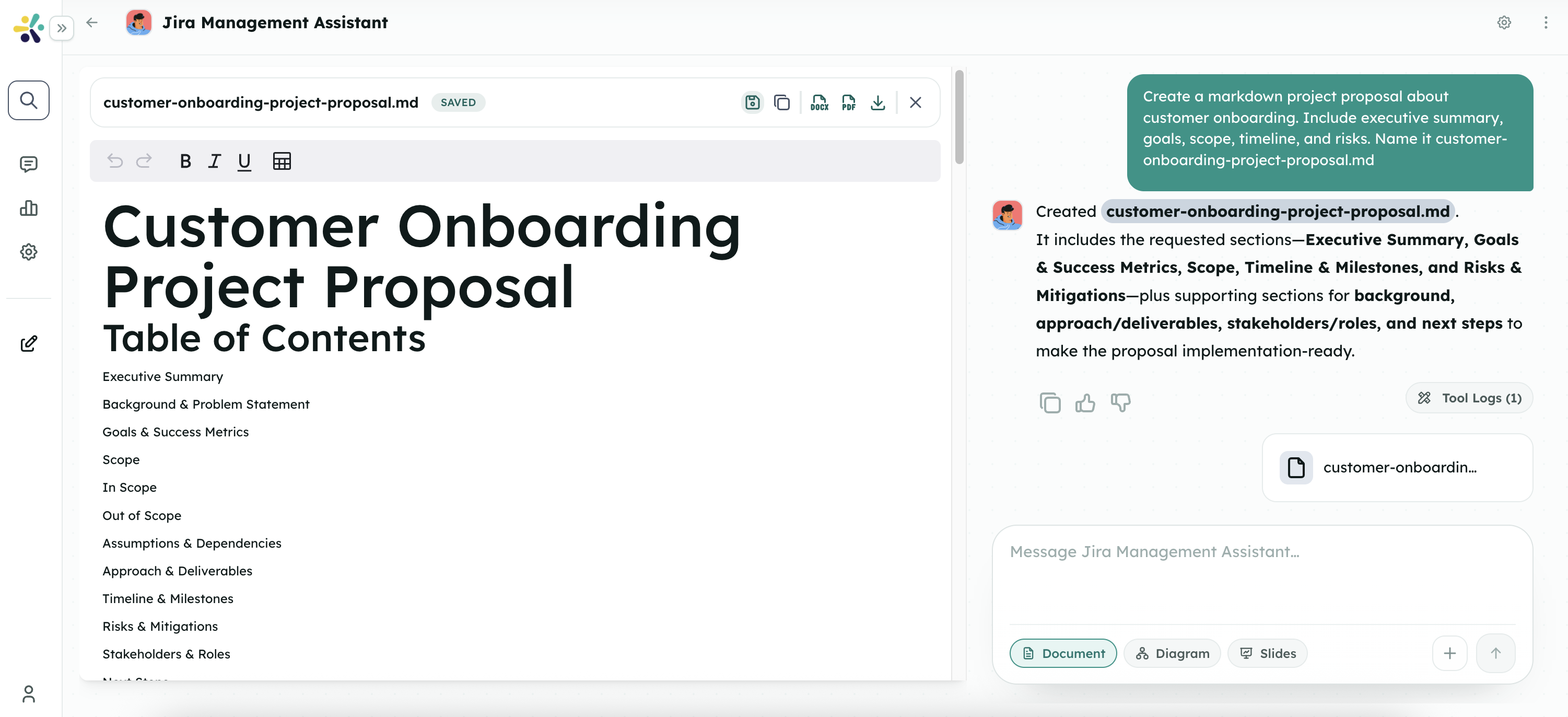
SmartContent & Canvas in Cognipeer are powerful features that leverage generative AI for dynamic content creation and collaborative document editing. These integrated capabilities allow users and Peers to work together on documents in real-time, creating, editing, and sharing content seamlessly within the Cognipeer ecosystem.
What is SmartContent?
SmartContent is a feature that enables the creation, storage, and management of AI-assisted content within Cognipeer. It allows users to:
- Create rich, dynamic content with AI assistance
- Save and organize documents for future reference
- Share content with other users through customizable visibility settings
- Reuse content across different conversations and workflows
What is Canvas?
Canvas is a system tool that integrates with Peers to provide a collaborative document editing environment. When added to a Peer, Canvas enables users to:
- Initiate document creation sessions with simple commands
- Edit documents collaboratively in real-time
- Choose between different editor types based on content needs
- Export documents in various formats for external use
Together, SmartContent and Canvas create a powerful content creation and management system within Cognipeer.
Key Features
Collaborative Document Creation
- Canvas Activation: Trigger a collaborative document session by instructing a Peer with commands like "prepare a document with canvas"
- Real-time Collaboration: Work alongside Peers to create and refine content
- Multi-Document Support: Create and manage multiple documents within a single conversation
Versatile Editing Tools
- Markdown Editor: Create rich text content with formatting, lists, tables, and more
- Code Editor: Develop technical documentation or code snippets with syntax highlighting
- Tool Selection: Choose the appropriate editor based on your content needs
Content Export and Sharing
- Export Options: Download documents in formats like DOCX for offline use
- Visibility Settings: Control who can access your saved content
- Reusability: Leverage saved content in future conversations or workflows
No-Code Integration
- Seamless Workflow Integration: Incorporate document generation into broader automated workflows
- Peer Tool Integration: Add Canvas as a system tool to any Peer to enable document creation capabilities
How SmartContent & Canvas Work Together
The SmartContent and Canvas features work together to provide a complete document creation and management solution:
- Initiation: A user asks a Peer with the Canvas tool to create a document
- Collaboration: The Canvas interface appears, allowing both user and Peer to edit the document
- Creation: Content is developed using the appropriate editor (Markdown or Code)
- Refinement: The document is collaboratively refined until complete
- Storage: The finished document can be saved as SmartContent in the system
- Sharing/Export: The document can be exported or shared with other users
This integrated approach combines the power of AI-assisted content creation with collaborative editing tools, creating a seamless experience for document development.
Getting Started with SmartContent & Canvas
Prerequisites
Before using SmartContent & Canvas, ensure you have:
- Access to the Cognipeer platform
- A Peer with the Canvas system tool added
- Appropriate permissions to create and save content
Adding Canvas to a Peer
- Navigate to the Peers section in the sidebar
- Select the Peer you want to enhance
- Go to the Details tab
- Click Add Action
- Go to the Details tab
- Select Canvas from the options
- Now, you can use Canvas with selected Peer
Creating Your First Document
- Start a conversation with your Peer that has the Canvas tool
- Request document creation with a command like:
- "Let's create a document about [topic]"
- "Prepare a document with canvas about [topic]"
- "I need to write a [document type] using canvas"
- The Canvas interface will appear, allowing you to begin collaborative editing
- Choose the appropriate editor (Markdown or Code) based on your content needs
- Work with your Peer to develop the document content
- When finished, you can save the document as SmartContent or export it
Use Cases
SmartContent & Canvas can be used for a wide range of document creation scenarios:
- Business Documentation: Create proposals, reports, and presentations
- Technical Writing: Develop documentation, specifications, and code examples
- Creative Content: Write articles, blog posts, and marketing materials
- Educational Materials: Prepare lesson plans, study guides, and instructional content
- Collaborative Planning: Develop project plans, strategies, and brainstorming documents
Next Steps
Now that you understand the basics of SmartContent & Canvas in Cognipeer, explore the following guides to learn more:
- Using SmartContent & Canvas: A detailed guide to creating and editing documents
- Managing SmartContent: How to organize, share, and reuse your saved content
- Integration with Peers: Advanced techniques for leveraging SmartContent & Canvas with Peers
By mastering SmartContent & Canvas, you can enhance your content creation workflows and leverage AI assistance for more efficient and effective document development.